Deploying AWS Bedrock AgentCore via the Management Console

Introduction
Hello!
We're nicepear and AlexQ from KINTO Technologies, AI First Group! The AI First Group is a cross-functional group promoting generative AI use, developing use cases, researching technologies, running PoCs, and providing educational training.
This time, we deployed the AWS Bedrock AgentCore agent via the AWS Management Console. We would like to share our experience.
What is AWS Bedrock AgentCore?
AWS Bedrock AgentCore is a new foundational service offered by AWS to enable companies to develop professional-level AI agents and operate them securely and on a large scale.
According to official documentation, the main elements are:
AgentCore Runtime – Provides a sandboxed, low-latency, serverless environment with session isolation, supports any agent framework, including popular open-source frameworks, tools, and models, and processes multimodal workloads and long-running agents.
AgentCore Memory – Manages session and long-term memory, helping the agent learn from past interactions while providing relevant context to the model.
AgentCore Observability – Provides step-by-step visualization of agent execution using metadata tagging, custom scoring, trajectory inspection, and troubleshooting/debug filters.
AgentCore Identity – Enables AI agents to securely access AWS services and third-party tools and services such as GitHub, Salesforce, and Slack, on behalf of a user or by AI agents themselves with pre-authorized user consent.
AgentCore Gateway – Transforms your existing APIs and AWS Lambda functions into agent-enabled tools, providing unified access across protocols like MCP and runtime detection.
AgentCore Browser – Provides a managed web browser instance for scaling agent web automation workflows.
AgentCore Code Interpreter – Provides an isolated environment for executing agent-generated code.
How to Deploy an Agent to the AWS AgentCore Runtime
Regarding the deployment of AI agents at AWS AgentCore, the official approach is to use the following library called bedrock-agentcore-starter-toolkit:
Additionally, the official method of using the boto3 API is also introduced as an alternative to using bedrock-agentcore-starter-toolkit.
This time, we tried Manual deployment via the management console, which is not described in the official documentation, and would like to share my experience and some points to note.
Deployment Steps in the Management Console
The major steps are:
- Prepare agent source code.
- Create a Dockerfile.
- Create an ECR repository in the Management Console.
- Create an ARM64 image with Docker and deploy it to an ECR repository.
- Create a new agent in the AgentCore Management Console.
Prepare agent source code.
This time we built the agent using the official Strand Agents. Also, since the purpose is to test the deployment steps, the configuration is relatively simple.
agentcore.py
import os
from strands import Agent, tool
from strands_tools import calculator
from strands.models.litellm import LiteLLMModel
from bedrock_agentcore.runtime import BedrockAgentCoreApp

app = BedrockAgentCoreApp()
os.environ["OPENAI_API_KEY"] = "YOUR_API_KEY"

@tool
def get_tenki():
   """ 天気を調べるためのツール """
   return "晴れです。"

model = "gpt-4.1"
model = LiteLLMModel(
   model_id=model
)

agent = Agent(
   model=model,
   tools=[calculator, get_tenki],
   system_prompt="あなたは賢いエージェントです。 ユーザーの指示に応じて、数字の計算を行い、あるいは天気を調べてあげてください。"
)

@app.entrypoint
def revoke_agent(payload):
    user_input = payload.get("prompt")
    response = agent(user_input)
    print(response.message['content'][0]['text'])
    return response.message['content'][0]['text']

if __name__ == "__main__":
   app.run()
The directory structure is as follows:
AWS-AGENTCORE/
├── agentcore.py
├── Dockerfile
├── requirements.txt
Create a Dockerfile.
We have prepared a Dockerfile as follows:
FROM python:3.12-slim

WORKDIR /app

COPY requirements.txt /app

# Install dependencies
RUN pip install --no-cache-dir -r requirements.txt

# Copy agent file
COPY agentcore.py /app

ENTRYPOINT ["python", "/app/agentcore.py"]
Create an ECR repository in the Management Console.
Repository creation is no different from the usual procedure.
First, log in to the AWS Management Console and access ECR. Then click "Create Repository" in the top right corner. 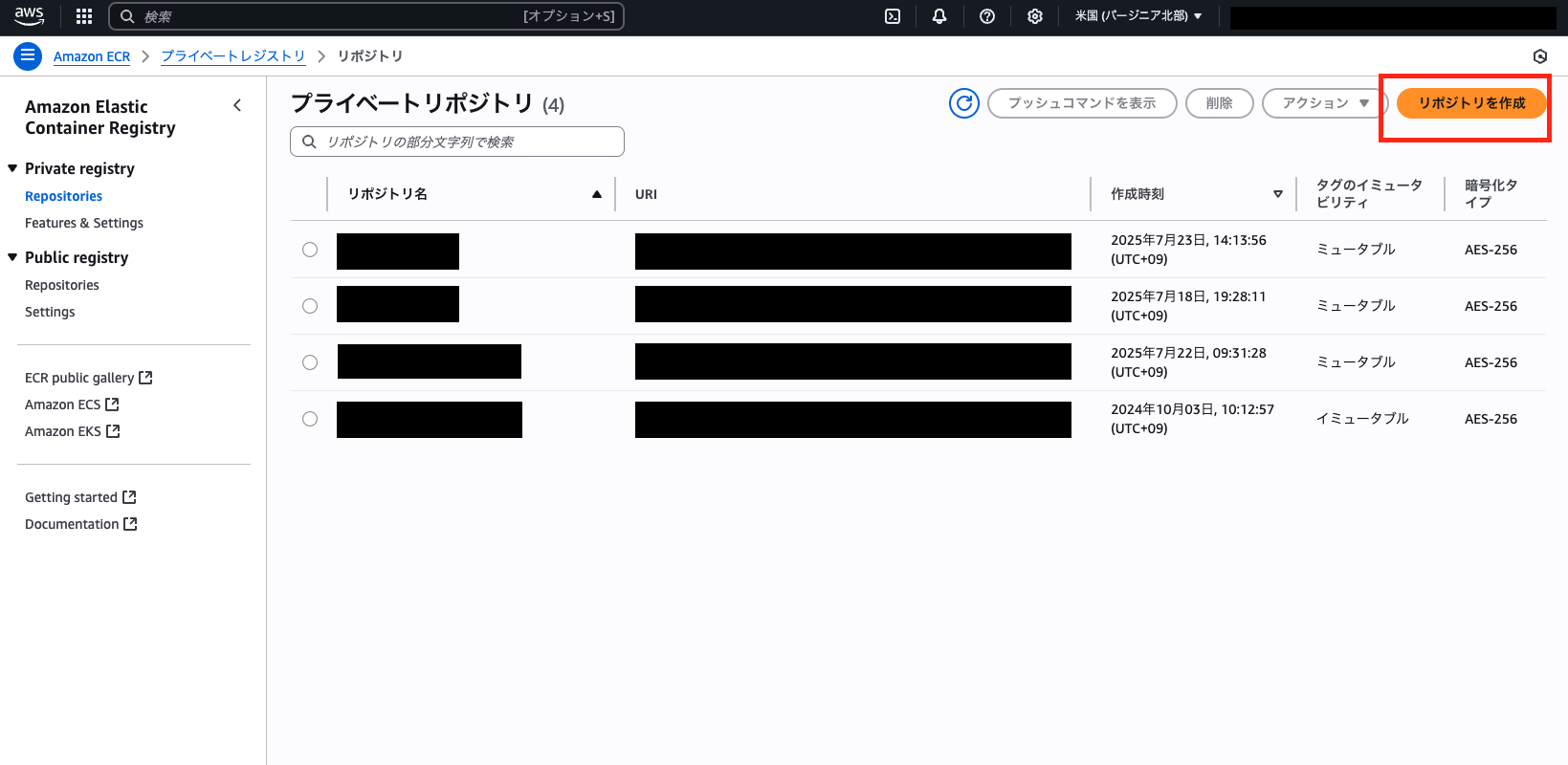
Enter a repository name and click "Create" in the bottom right. 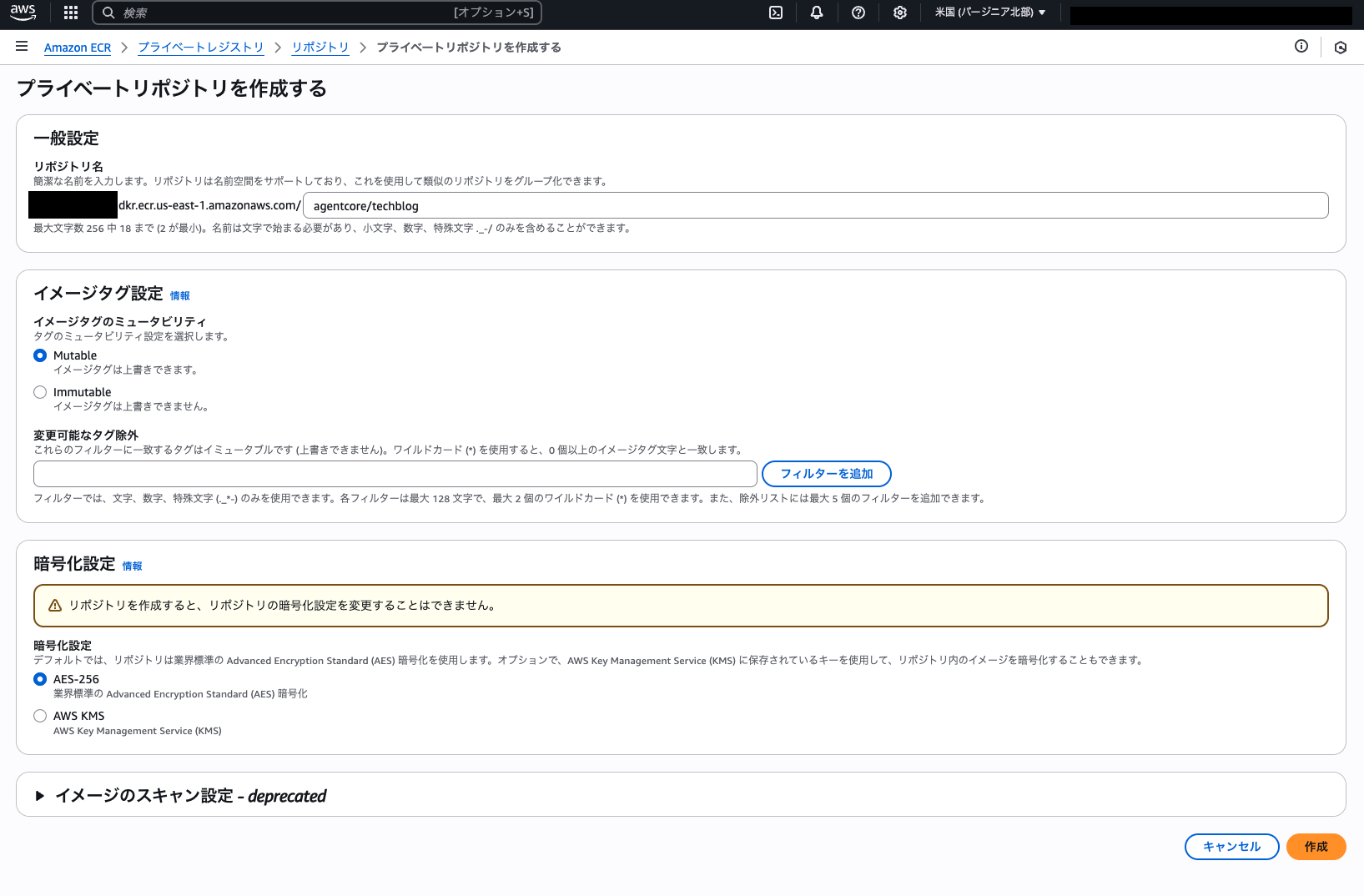
Once created, you can see it in the repository list. 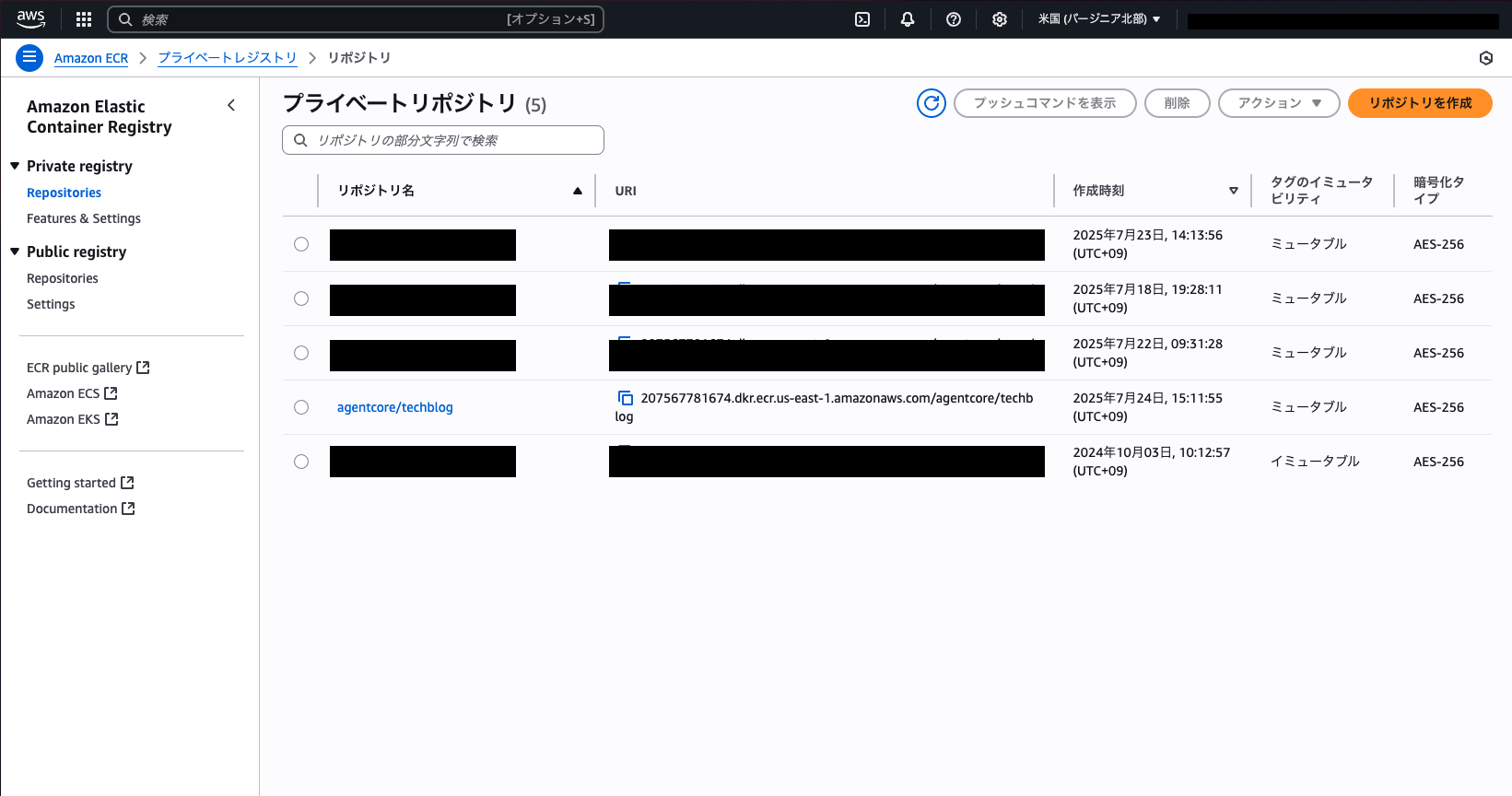
Create an ARM64 image with Docker and deploy it to an ECR repository.
Basically, proceed in the order of push commands displayed in the ECR repository. The push commands can be found here:
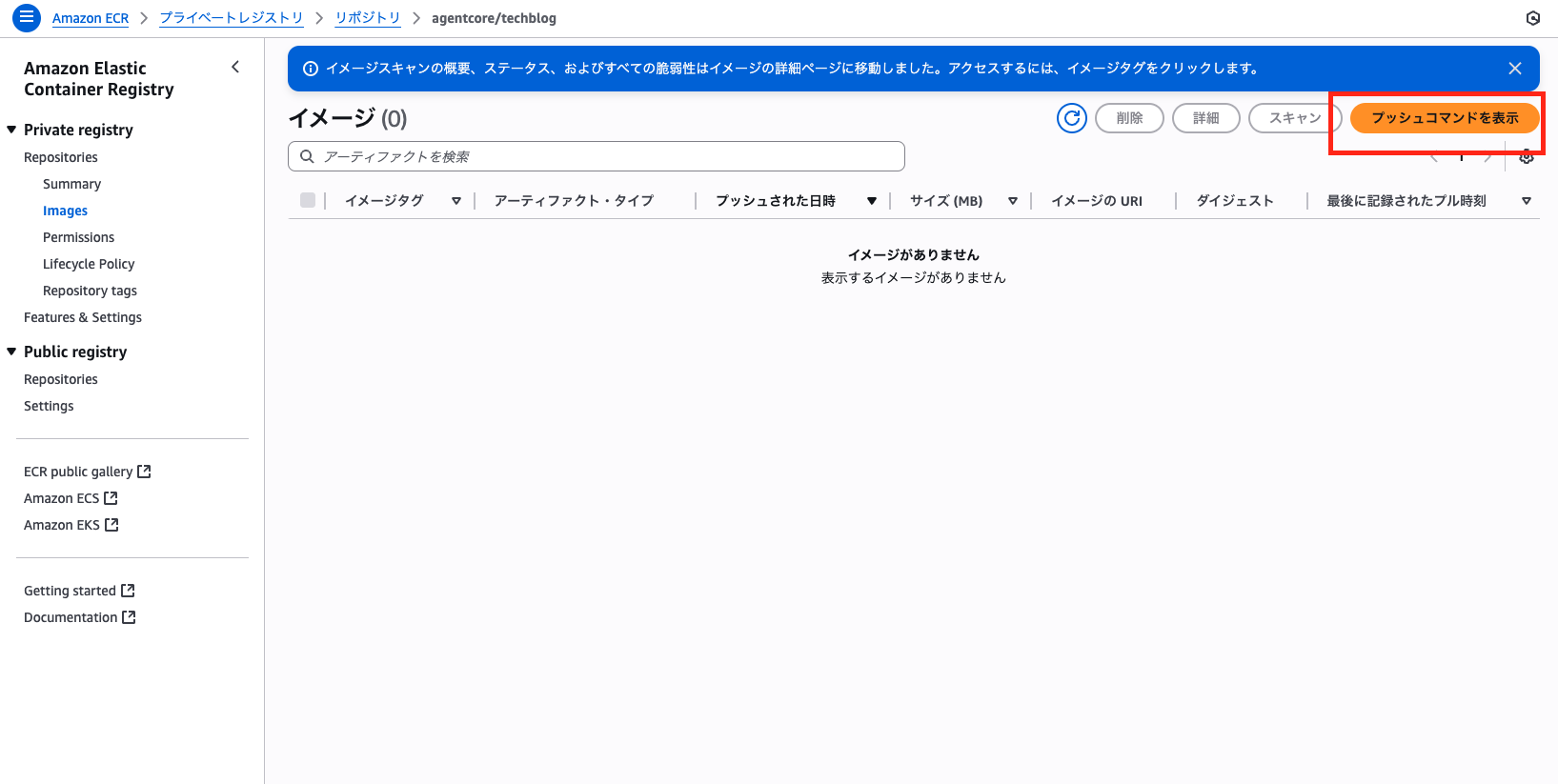
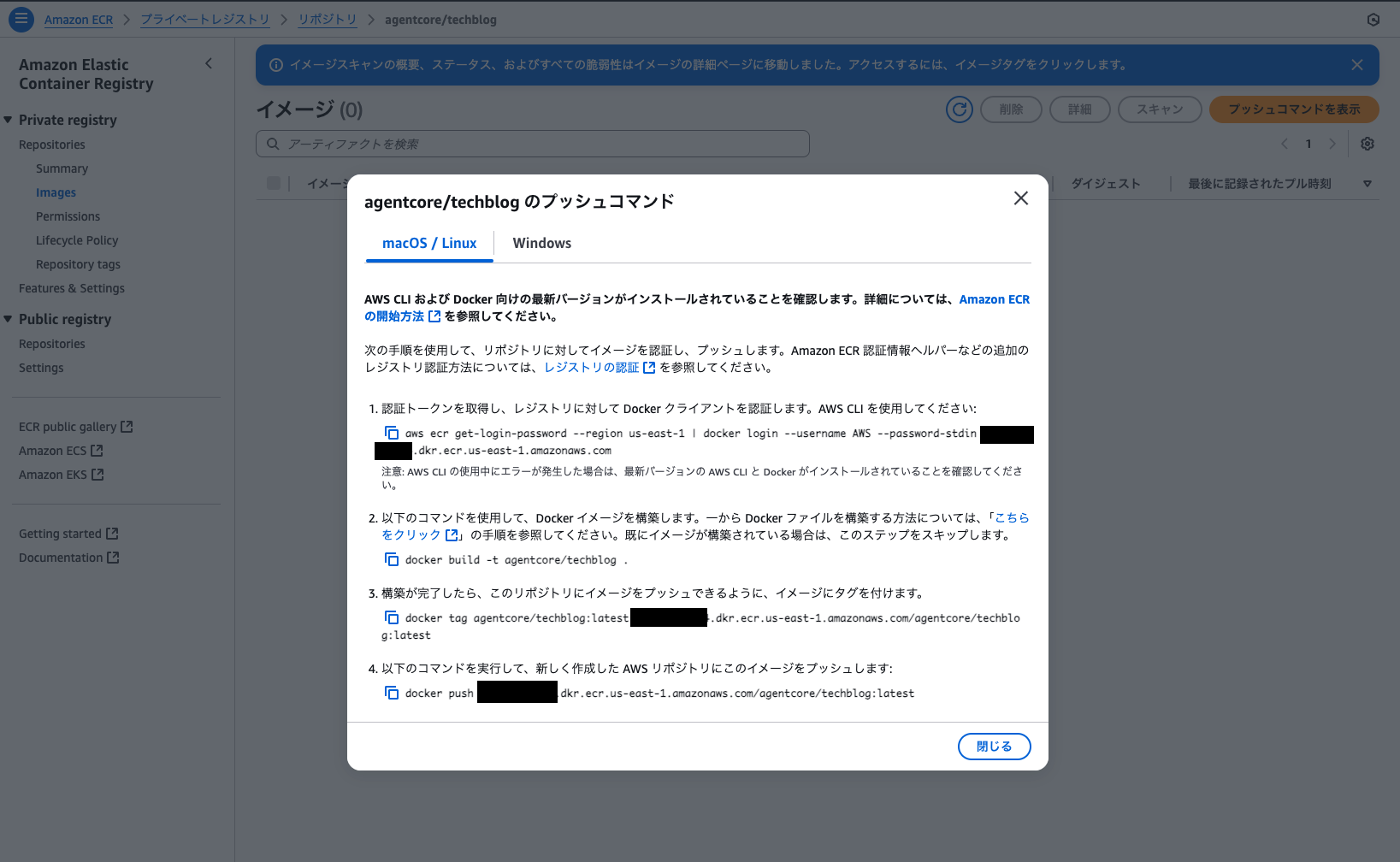
First, log in to ECR using the AWS CLI:
aws ecr get-login-password --region us-east-1 | docker login --username AWS --password-stdin account-id.dkr.ecr.us-west-2.amazonaws.com
Next, build the Docker image. When we built it exactly as described in the push command, I got an error when creating the AgentCore agent later. The error appears to be caused by the requirement to build an ARM64 Docker container.
# エラーを起こしたコマンド
docker build -t agentcore/techblog .
The official documentation also states that ARM64 should be used.
Build the image locally for testing:
docker buildx build --platform linux/arm64 -t my-agent:arm64 --load .
So we built the image using the following command:
docker build --platform linux/arm64 -t agentcore/techblog .
Once the build is complete, tag the image.
docker tag agentcore/techblog:latest account-id.dkr.ecr.us-east-1.amazonaws.com/agentcore/techblog:latest
Finally, run the following command to push this image to the ECR repository created previously.
docker push account-id.dkr.ecr.us-east-1.amazonaws.com/agentcore/techblog:latest
Create a new agent in the AgentCore Management Console.
Finally, access the Bedrock AgentCore management console. 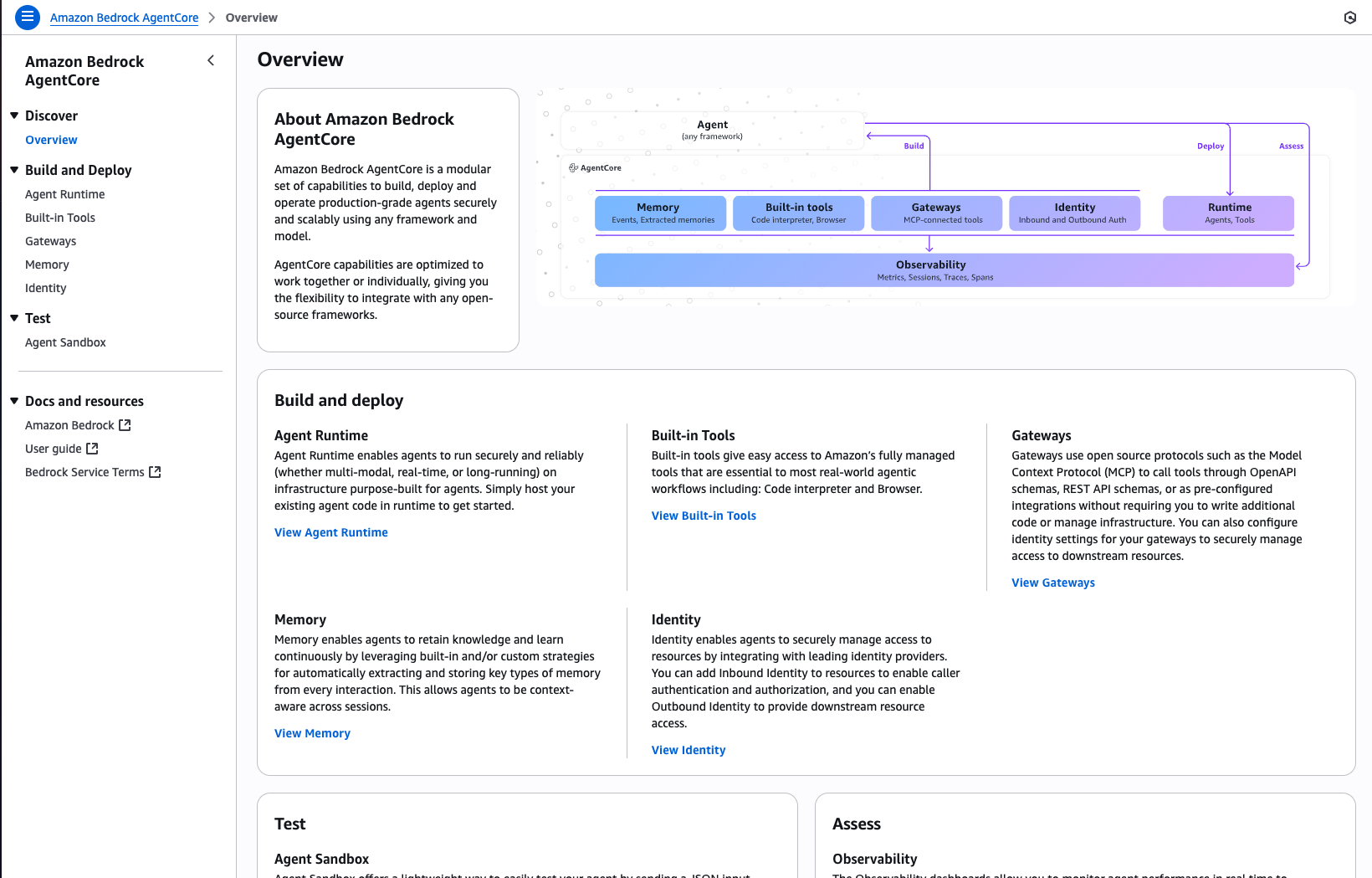
Go into the Agent Runtime. 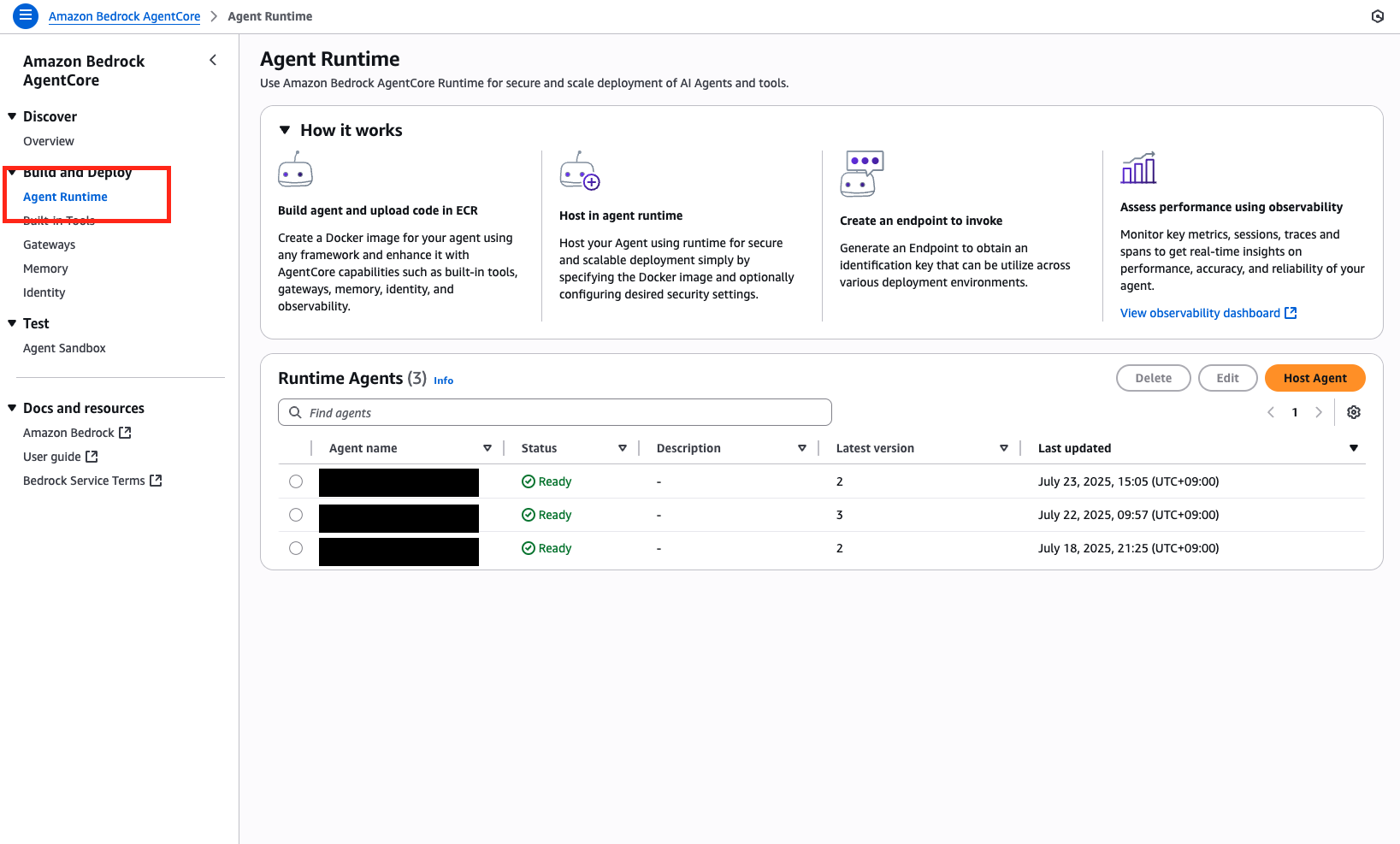
Click "Host Agent" in the top right. 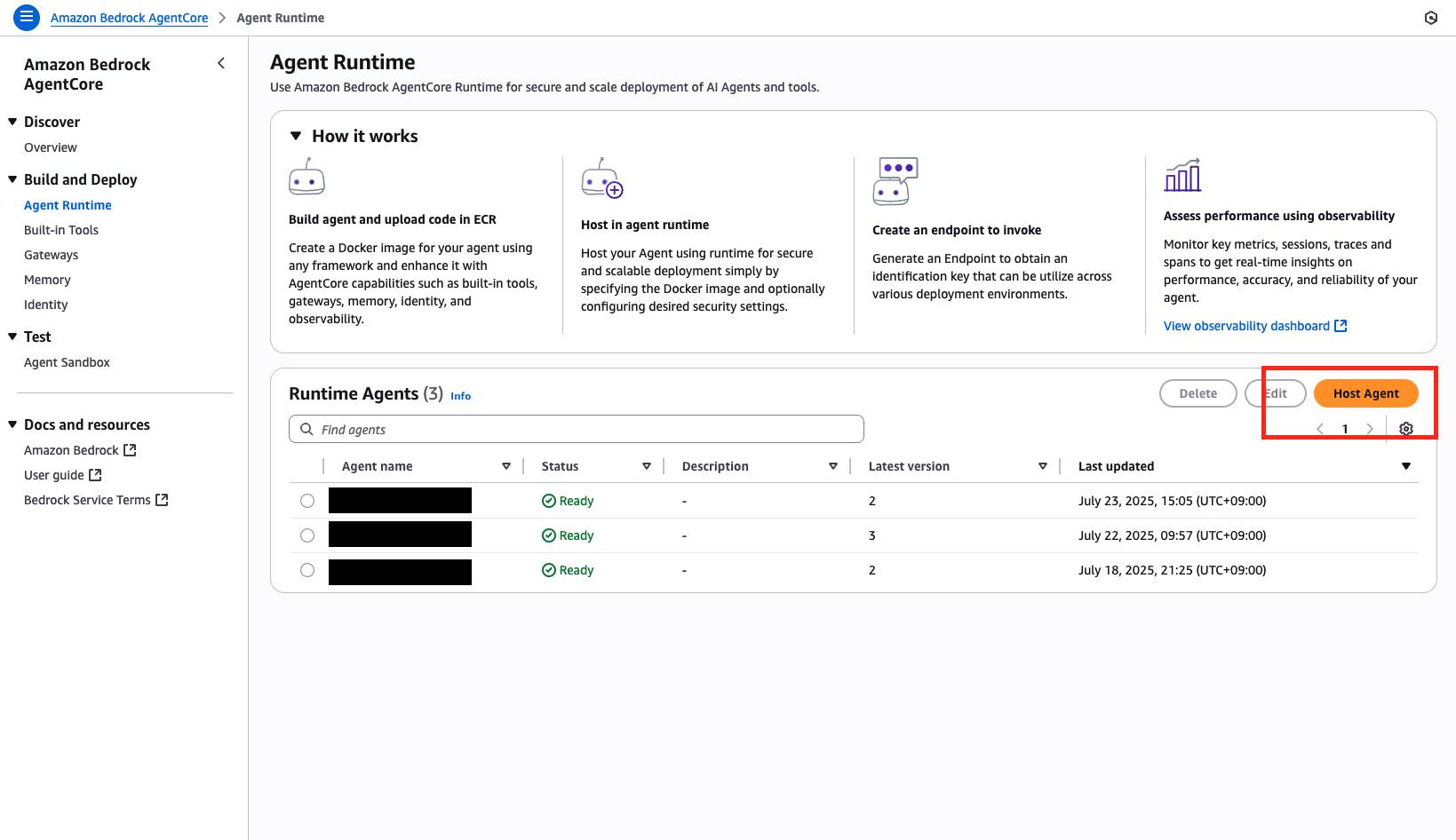
Fill in the required information.
- I set the name to "agentcore_techblog." (* Although it is written that a hyphen (-) can be used, actually using it caused an error. A bug seems to be present here.)
- Select the Docker image that was pushed earlier.
- If there is an existing IAM role, we can use it. If not, we can create a new one here, so we will create a new role this time.
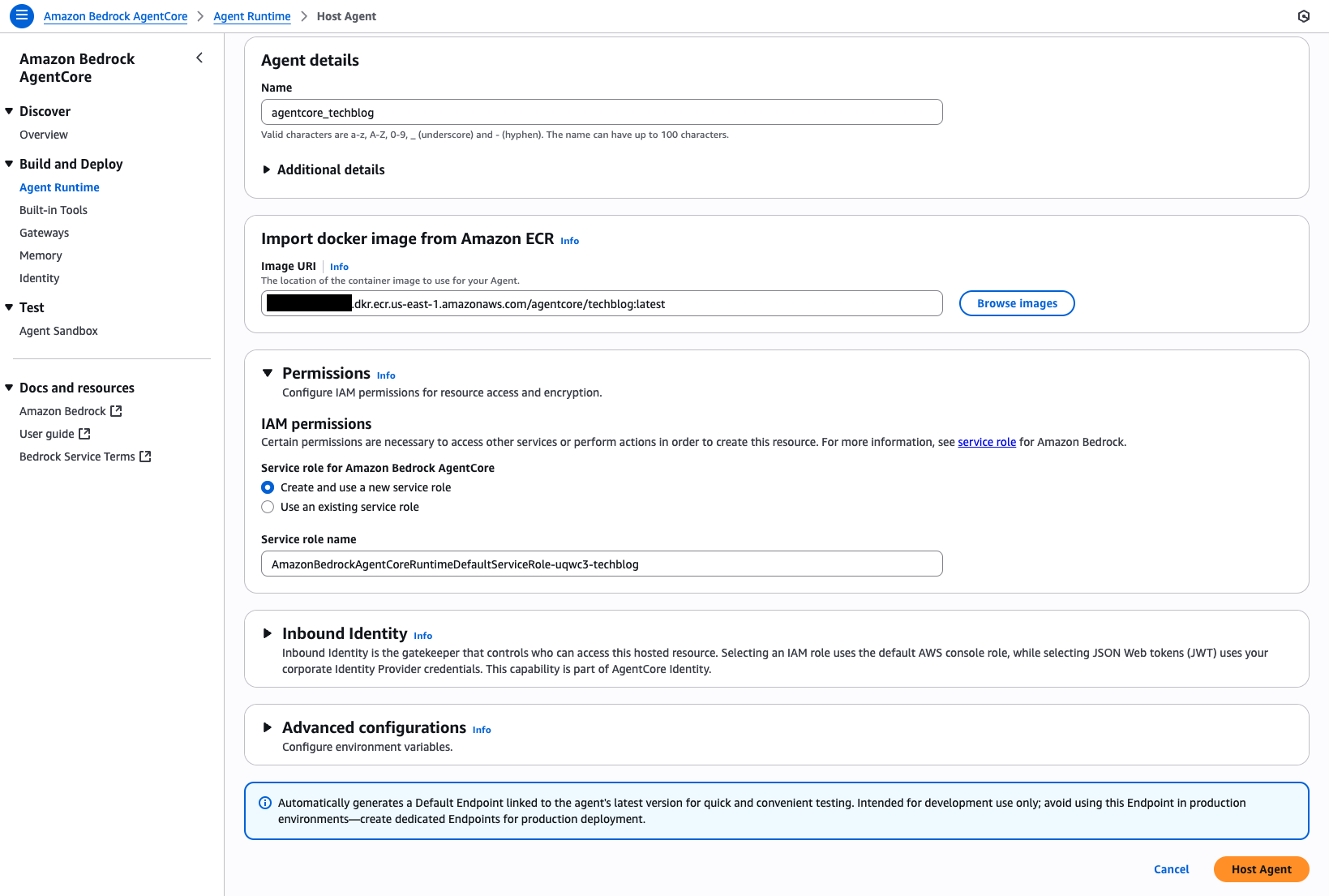
Here, an error occurred again. 
It seems that the permissions for the newly created IAM role were not set correctly. Let's check in IAM.
The ECR repository we previously created is "../agentcore/techblog", but the resource the automatically created IAM role can access is "../techblog"... I think this is also a bug. 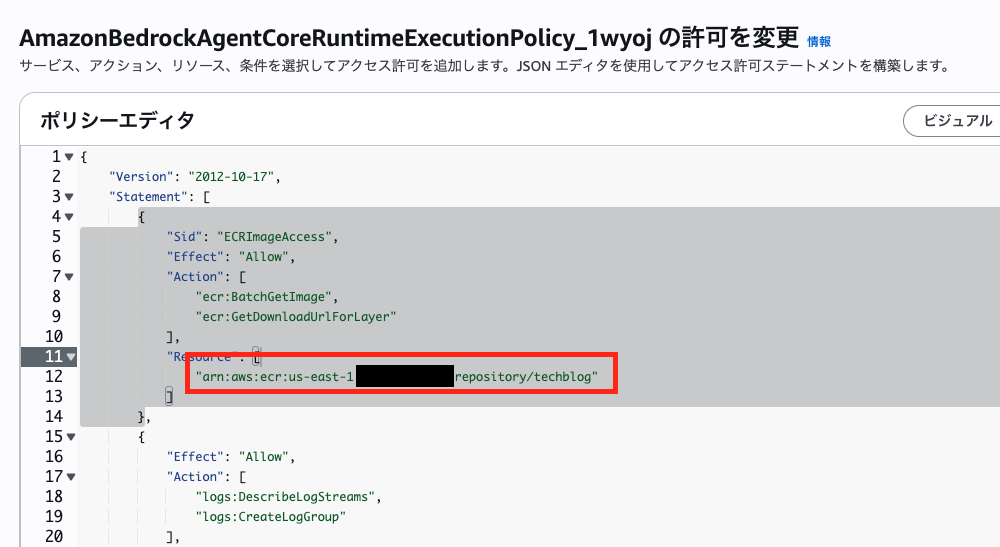
Let's manually correct it to "../agentcore/techblog." 
Now we have successfully created the AgentCore Runtime. 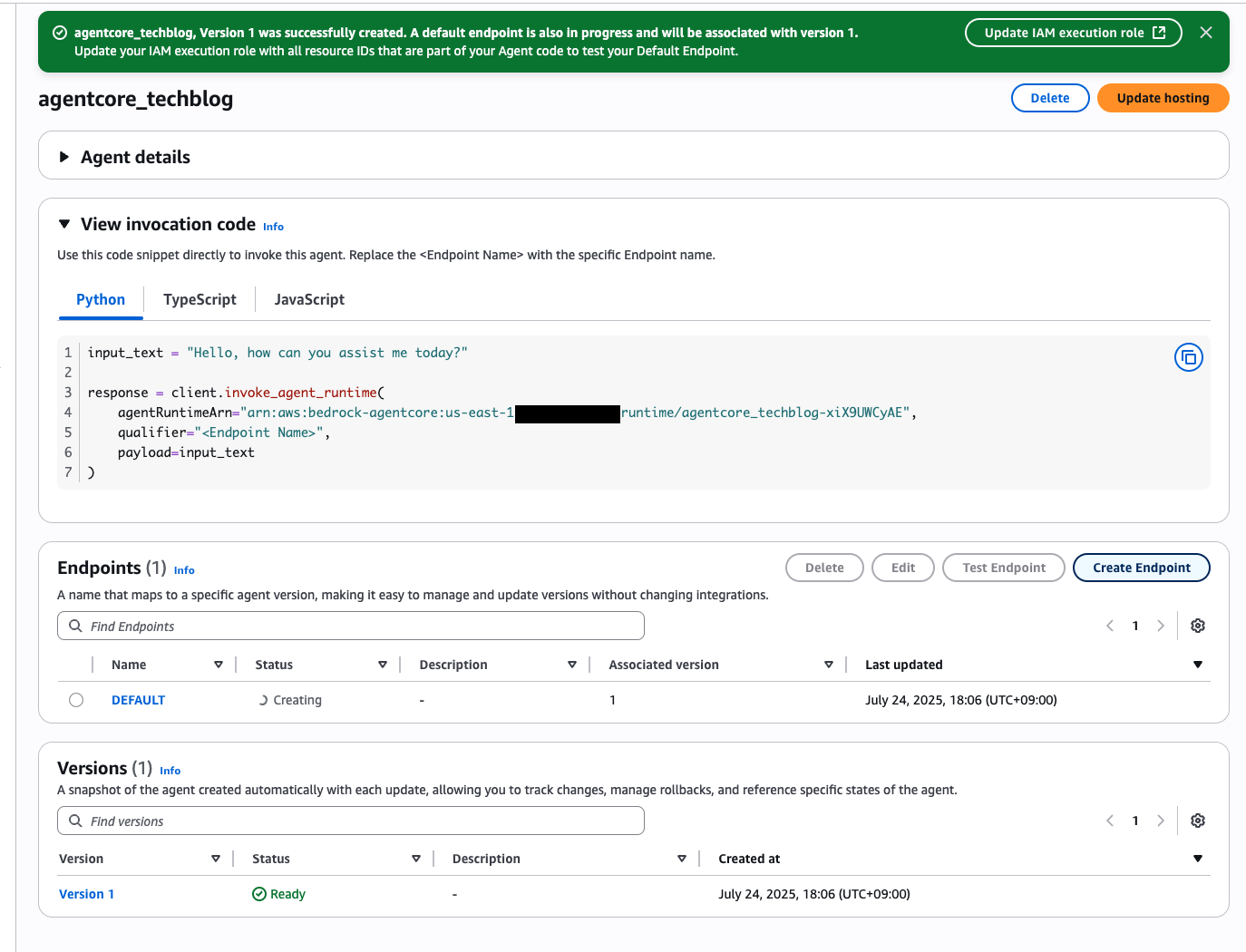
Talking to an AgentCore Runtime Agent
Let’s try talking to the deployed agent.
Since the official documentation also provides sample code, we’ll try using it right away. Regarding the question, since the agent we built this time is supposed to be able to use tools to check the weather, let’s ask about today’s weather.
input_text = "今日の天気は?"

response = client.invoke_agent_runtime(
    agentRuntimeArn="YOUR_AGENT_RUNTIME_ARN",
    qualifier="<Endpoint Name>",
    payload=input_text
)
We received a good response. 
Conclusion
This time, we introduced the steps to deploy an AI agent using AWS Bedrock AgentCore via the Management Console.
The official documentation mainly introduces deployment methods using the bedrock-agentcore-starter-toolkit and the boto3 API, but we were able to confirm that manual deployment using the Management Console is also possible. However, there were a few points to note:
- Docker images must be built for the ARM64 architecture.
- Using hyphens (-) in agent names can cause errors.
- When automatically creating an IAM role, ECR repository resource paths may not be set correctly.
If you pay attention to these points, deployment using the Management Console is perfectly possible. This is a particularly convenient option for those who are accustomed to GUI operations and for use in small-scale PoCs.
AWS Bedrock AgentCore is a highly anticipated service for those considering running AI agents in their companies. We would like to continue to explore various usage patterns and share our findings.
Thank you for reading to the end!

関連記事 | Related Posts
We are hiring!
【カスタマーサクセスエンジニア】プラットフォームG/東京・大阪・福岡
プラットフォームグループについてAWS を中心とするインフラ上で稼働するアプリケーション運用改善のサポートを担当しています。
生成AIエンジニア/AIファーストG/東京・名古屋・大阪・福岡
AIファーストGについて生成AIの活用を通じて、KINTO及びKINTOテクノロジーズへ事業貢献することをミッションに2024年1月に新設されたプロジェクトチームです。生成AI技術は生まれて日が浅く、その技術を業務活用する仕事には定説がありません。
イベント情報
![[Mirror]不確実な事業環境を突破した、成長企業6社独自のエンジニアリング](/assets/banners/thumb1.png)