How to Auto-Generate Tech Blog Cover Images with an Image‑Generation AI

This article is the Day 1 entry of the KINTO Technologies Advent Calendar 2025:santa::christmas_tree:
I'm okapi from the Mobile team in the QA Group.
When creating images with AI, have you ever experienced telling the AI exactly what you want through prompts, only to have your intent misunderstood, forcing you to redo it multiple times?
This time, I've created a prompt that can generate tech blog cover images in a single generation!
This approach can be applied to other image creation tasks as well. Please give it a try!
How to Use
AI Image‑generation to Use
Microsoft Copilot
*Basically, any generative AI tool that supports image generation will work (e.g., ChatGPT, DALL-E, Midjourney, etc.)
Prompt Modification Points
There are only 4 points to modify in the prompt!
| Modification Points | Content |
|---|---|
| 1. Display Title Setting | Paste your tech blog title into Display Title |
| 2. Style Selection | Choose 1 from ■Style and delete the other 2 |
| 3. Overview Setting | Paste your tech blog content into ■Tech Blog Content |
| 4. Previous Cover Image Attachment | Attach your previously used cover image to the prompt |
Actual Prompt Used
Please create a cover image for a tech blog.
Please use the same format as the image used in the previous tech blog I'm attaching.

■Purpose
I want to create a cover image for the following blog article.

■Display Title
(Paste article title here)

■Notes
・Please ensure there are no unnatural Japanese expressions.
・Please keep the image style and layout the same as before.
・The title should be placed in the center or a prominent position

■Style
(Choose one from the following 3)
・Tech feel (technical atmosphere)
・AI and machine learning style (collaboration with generative AI)
・Motion graphics style (even as a still image)

■Tech Blog Content
(Paste article overview here)
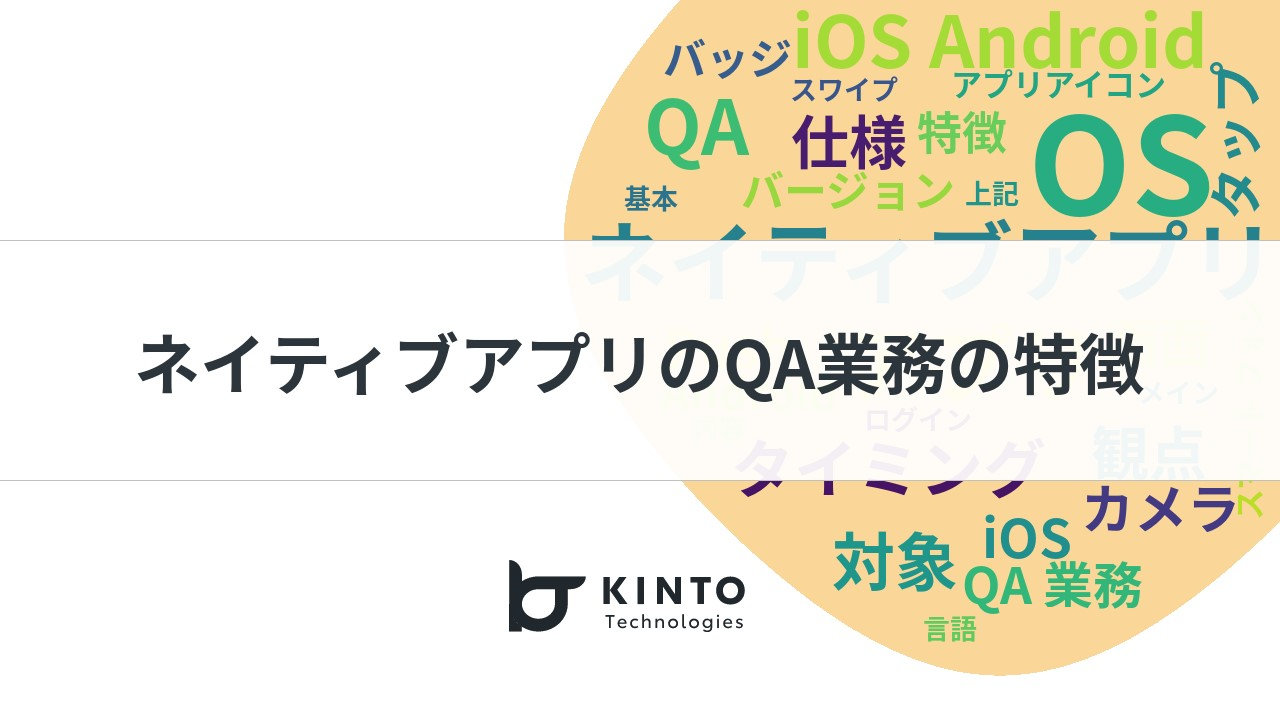
Previous Cover Image Attached
Images Actually Created for This Article
For this article, I created images in the 3 patterns mentioned above.
| Style | Generated Image |
|---|---|
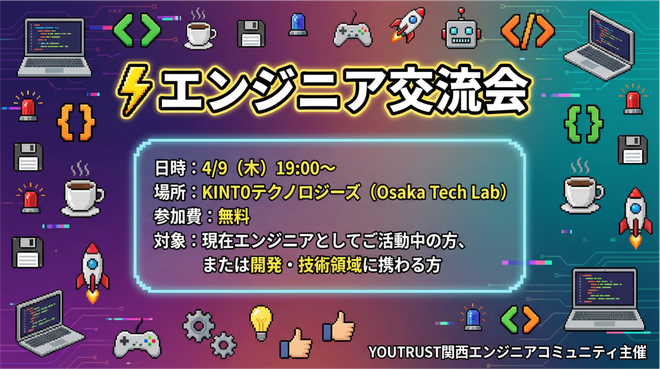
| Tech feel (technical atmosphere) | 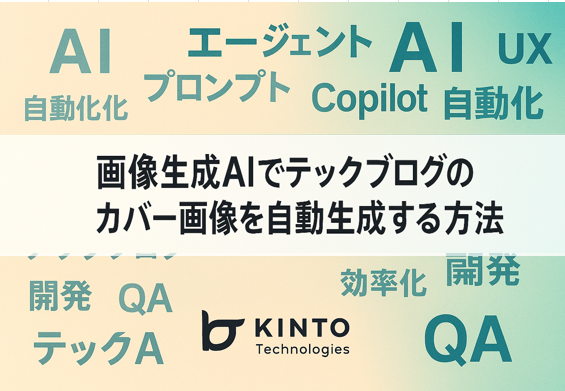 |
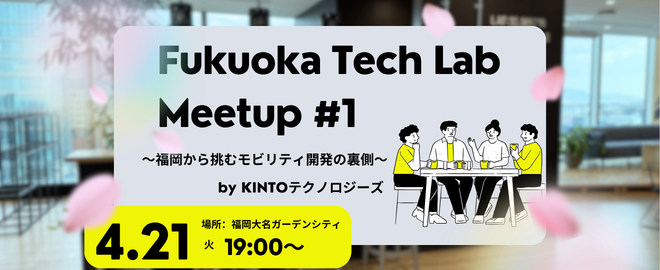
| AI and machine learning style (collaboration with generative AI) | 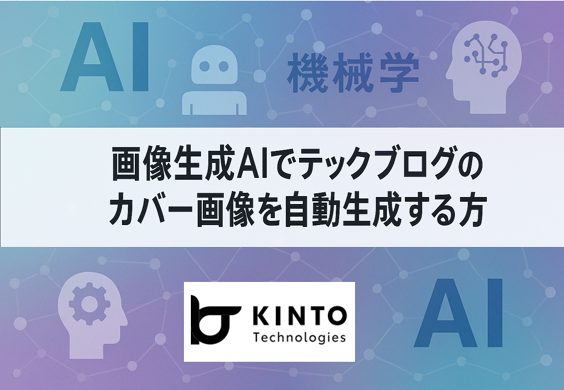 |
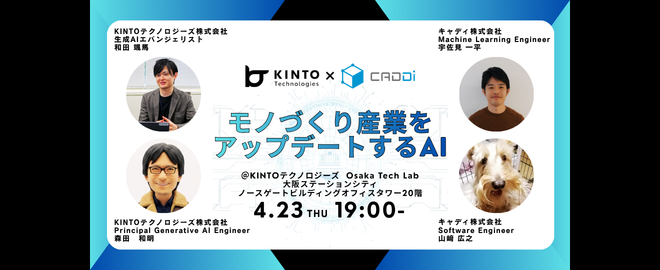
| Motion graphics style (even as a still image) | 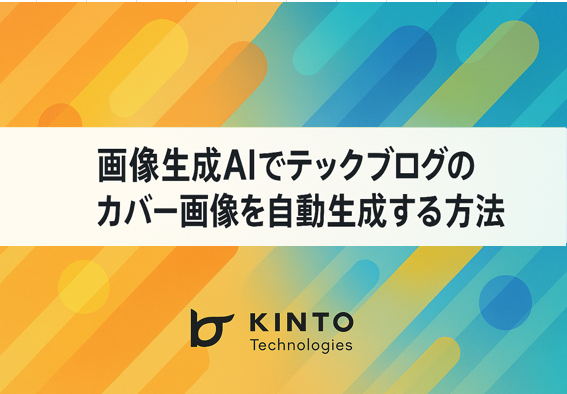 |
Key Points of Prompt Design Explained
| Point | Explanation |
|---|---|
| 1. Minimize modification points | By narrowing down the parts that need modification in the prompt to 4 points, I created a template that anyone can easily use with copy-paste. |
| 2. Attach reference images | Simply saying "with the same atmosphere as before" in words doesn't accurately convey to AI. By attaching actual images, you can share ambiguous parts that are difficult to express such as layout, color scheme, and font feel. |
| 3. Structured instructions | By clearly categorizing information into purpose, title, notes, style, and content, it becomes easier for AI to understand the priority of each element. |
| 4. Specify elements to avoid | By including negative instructions like "avoid unnatural Japanese expressions," it becomes easier to select natural Japanese. |
| 5. Present options (style) | Instead of leaving everything to AI, by making it a format where you choose from 3 styles, simply adding this option makes the prompt customizable. |
Not Complete (Still Not Perfect)
This template can mass-produce images while maintaining reproducibility just by replacing 4 points: title, style, overview, and reference image.
Actually, There Are 2 Issues
Although I could generate images in one shot, upon closer inspection, the following 2 problems were found.
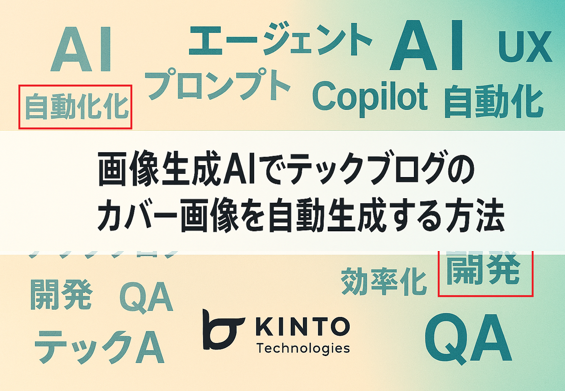
Issue 1: Japanese Typos
Despite stating "avoid unnatural Japanese expressions" in the prompt, typos occurred.
Tech feel (technical atmosphere):
- It's written as "自動化化", where "化" is repeated
- The display of "開発" is distorted
AI and machine learning style (collaboration with generative AI):
- It's written as "機械学", where "習" is missing

Issue 2: Logo Modification
I wanted the reference image's logo to be reproduced, but the generative AI subtly modified the logo.
At first glance they look the same, but upon closer inspection, you can see that the design has subtly changed.

From a copyright and brand guidelines perspective, we want to avoid logo modifications.
Tried to Improve
Response to Issue 1: Japanese Typos
I adjusted the prompt notes so the Japanese wouldn’t sound awkward, and tried out a few versions.
| Trial | Changes | Result |
|---|---|---|
| ① | ・Please use correct kanji and phrases for Japanese text. ・Ensure no typos or meaningless Japanese is included. ・Make Japanese text in the image natural and readable. |
No change - Same typos occurred |
| ② | ・Avoid unnatural Japanese expressions. ・Please review that kanji are correct before creating. |
All kanji disappeared - Text stopped displaying |
| ③ | Attached image with "Please correct 自動化化 in the upper left to 自動化" | Not corrected - Original typo remained |
Response to Issue 2: Logo Modification
To accurately reproduce the logo, I tried the following prompt adjustments.
Additional prompt: I want the logo below to be exactly the same, so please attach the logo and use the attached file(rogo.png).
As a result, a logo close to the original was created, but the angle and thickness were slightly different.
Conclusion
While image creation itself can be done in one shot, there were the following 2 issues:
- Japanese kanji expressions - Difficult to control perfectly with prompts alone
- Accurate logo reproduction - AI automatically modifies it
Through this trial and error process, I think we can understand the characteristics and limitations of generative AI and find more effective ways to use it.
Practical operational method:
- Leave layout, atmosphere, and background generation to the image‑generation AI (AI's strong point)
- Add logos later with image editing tools (humans control accurately)
With this combination, I found that we can leverage the strengths of image-generation AI while ensuring a certain level of quality.
This tech blog cover image was created using the above operation with the logo manually pasted.
If anyone has a prompt that can accurately reproduce kanji and logos in AI-generated images, please let me know!
I’ll write more articles when I find new and interesting AI applications, along with challenges and solutions.

関連記事 | Related Posts
ノンデザイナーでも“表紙デザイン”は作れる? AIと共創した技術書の表紙制作プロセス
How to Auto-Generate Tech Blog Cover Images with an Image‑Generation AI
![Cover Image for [生成AI][Copilot] 非エンジニアの私がAIを使って運用ツールを開発した話](/assets/blog/authors/yamayuki/01.png)
[生成AI][Copilot] 非エンジニアの私がAIを使って運用ツールを開発した話
3つの生成AIを使って、喋るオリジナルキャラクターを作ってみた(Adobe Firefly、TTSMaker、Runway)
OpenAI vs Google 画像編集対決 – gpt-image-1 と Gemini 2.5 Flash Image の“一貫性”を検証してみた
生成AI活用プロジェクトの紹介
We are hiring!
【UI/UXデザイナー】クリエイティブ室/東京・大阪・福岡
クリエイティブGについてKINTOやトヨタが抱えている課題やサービスの状況に応じて、色々なプロジェクトが発生しそれにクリエイティブ力で応えるグループです。所属しているメンバーはそれぞれ異なる技術や経験を持っているので、クリエイティブの側面からサービスの改善案を出し、周りを巻き込みながらプロジェクトを進めています。
生成AIエンジニア/AIファーストG/東京・名古屋・大阪・福岡
AIファーストGについて生成AIの活用を通じて、KINTO及びKINTOテクノロジーズへ事業貢献することをミッションに2024年1月に新設されたプロジェクトチームです。生成AI技術は生まれて日が浅く、その技術を業務活用する仕事には定説がありません。