Smart Task Management with Teams × Power Platform

Introduction
Hello, I'm Angela Wang from the Group Core Systems Division at KINTO Technologies.
Recently, I had the opportunity to explore Microsoft Power Automate and was impressed by how easily systems can be built using low-code. I'd like to introduce one solution example.
Do you ever face these challenges in your daily work?
- Task instructions scattered across chat messages
- Progress reporting is person-dependent and difficult to track
- Unable to get an overview of the situation at a glance
These challenges can be solved by combining Microsoft Teams with Power Platform (Power Automate/Power Apps/Power BI) to create a task management system that anyone can easily automate and visualize.
1. Architecture Overview
Here is the basic concept of this solution:
Achieve end-to-end task management from creation to progress tracking and report analysis, all centered around Teams.
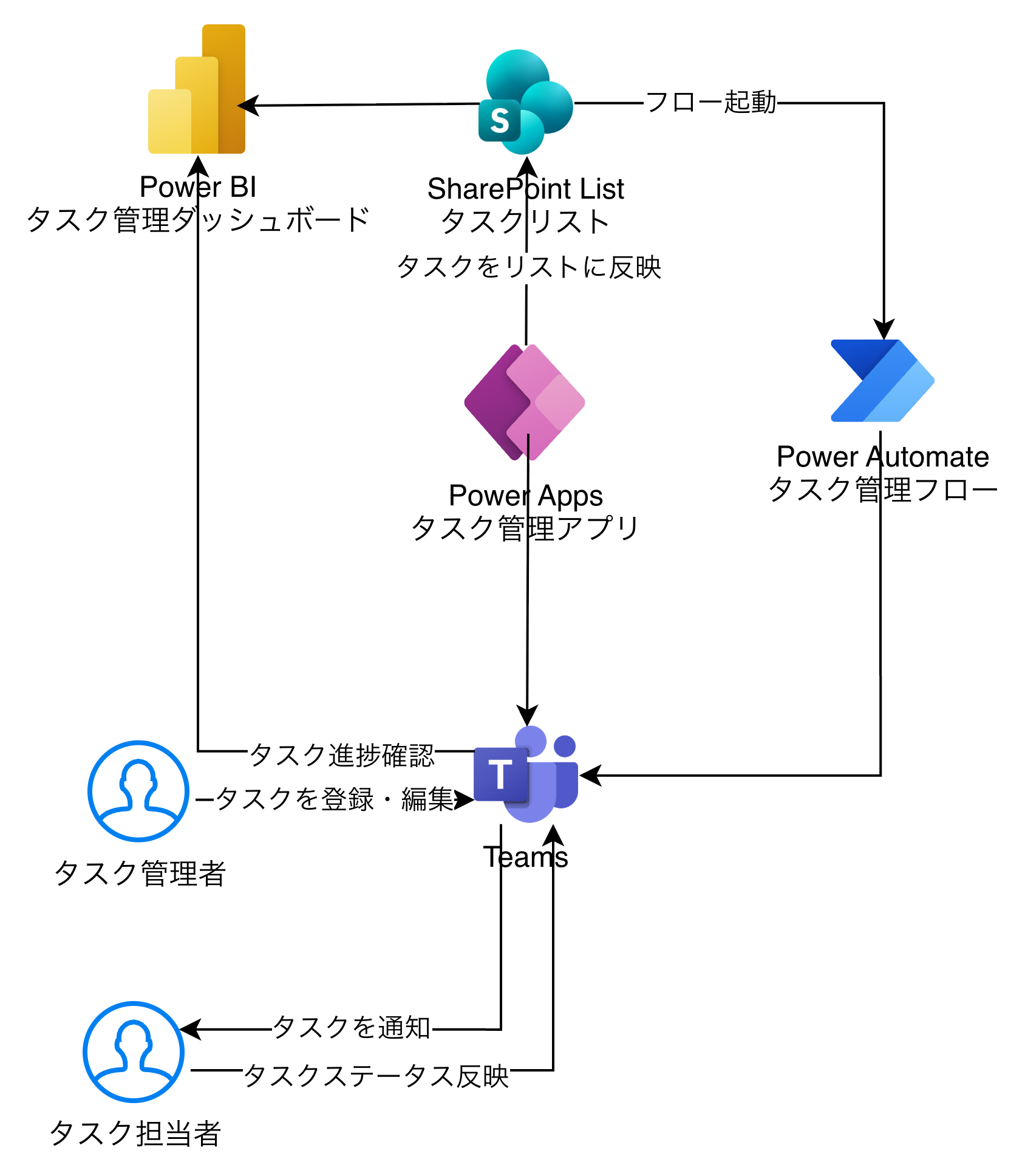
Components
| Component | Role | Description |
|---|---|---|
| Microsoft Teams | Entry point & notification hub | Execute task creation, updates, and notifications within channels |
| Power Apps | Task management app | Register and update tasks with an intuitive UI |
| Power Automate | Automation workflow | Automate notifications, reminders, and report generation |
| Power BI | Visualization & analysis | Visualize task completion rates and delay trends in real-time |
| SharePoint List | Data storage | Store task data |
2. Feature Design
Task Creation and Assignment (Power Apps)
Create a form in Power Apps to input the following information:
- Task name
- Assignee (MS user)
- Status
- Priority
- Due date
- Created by
- Completion date
- Details
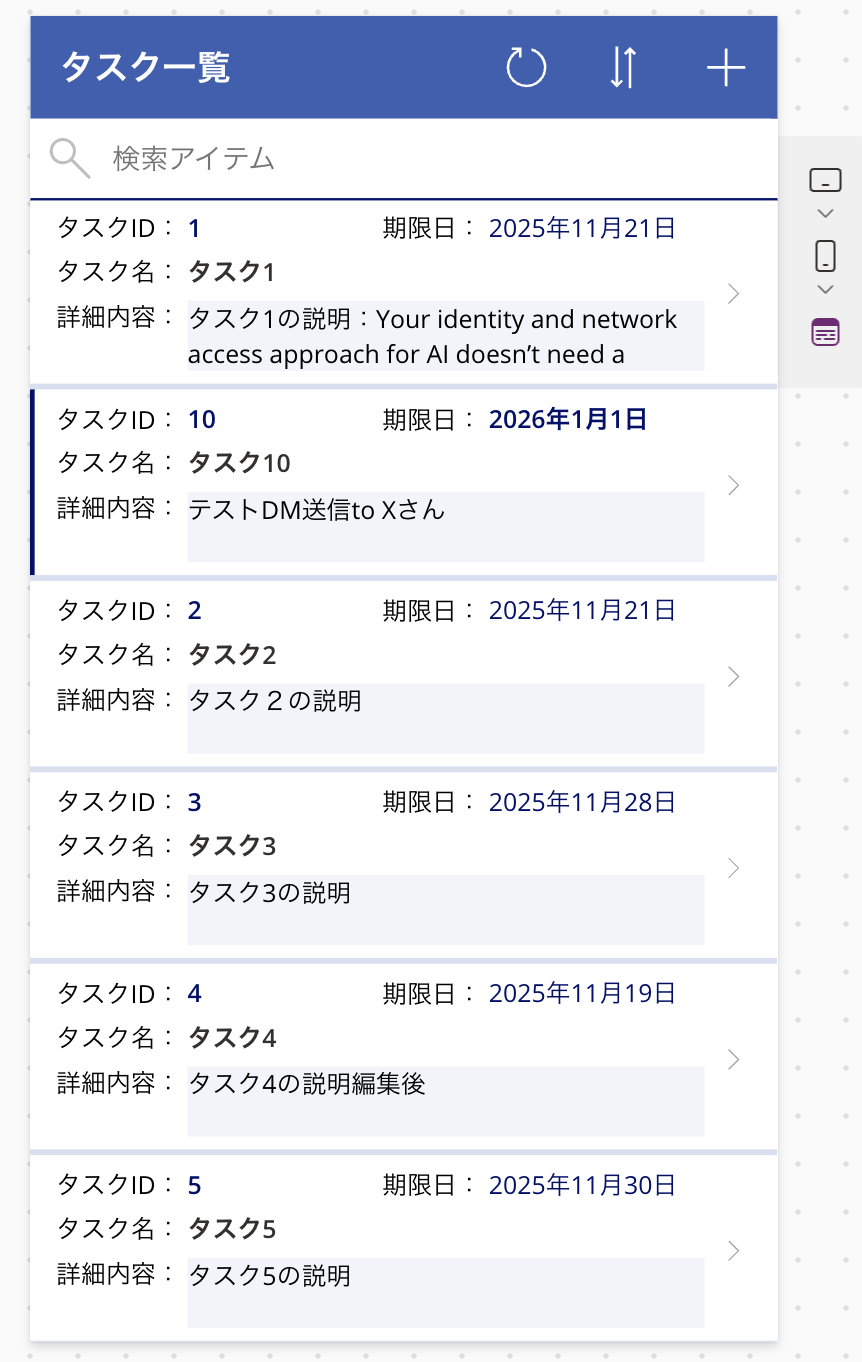
After creation, the data is recorded in SharePoint List.
Screens for viewing and editing the task list and task details are also created.
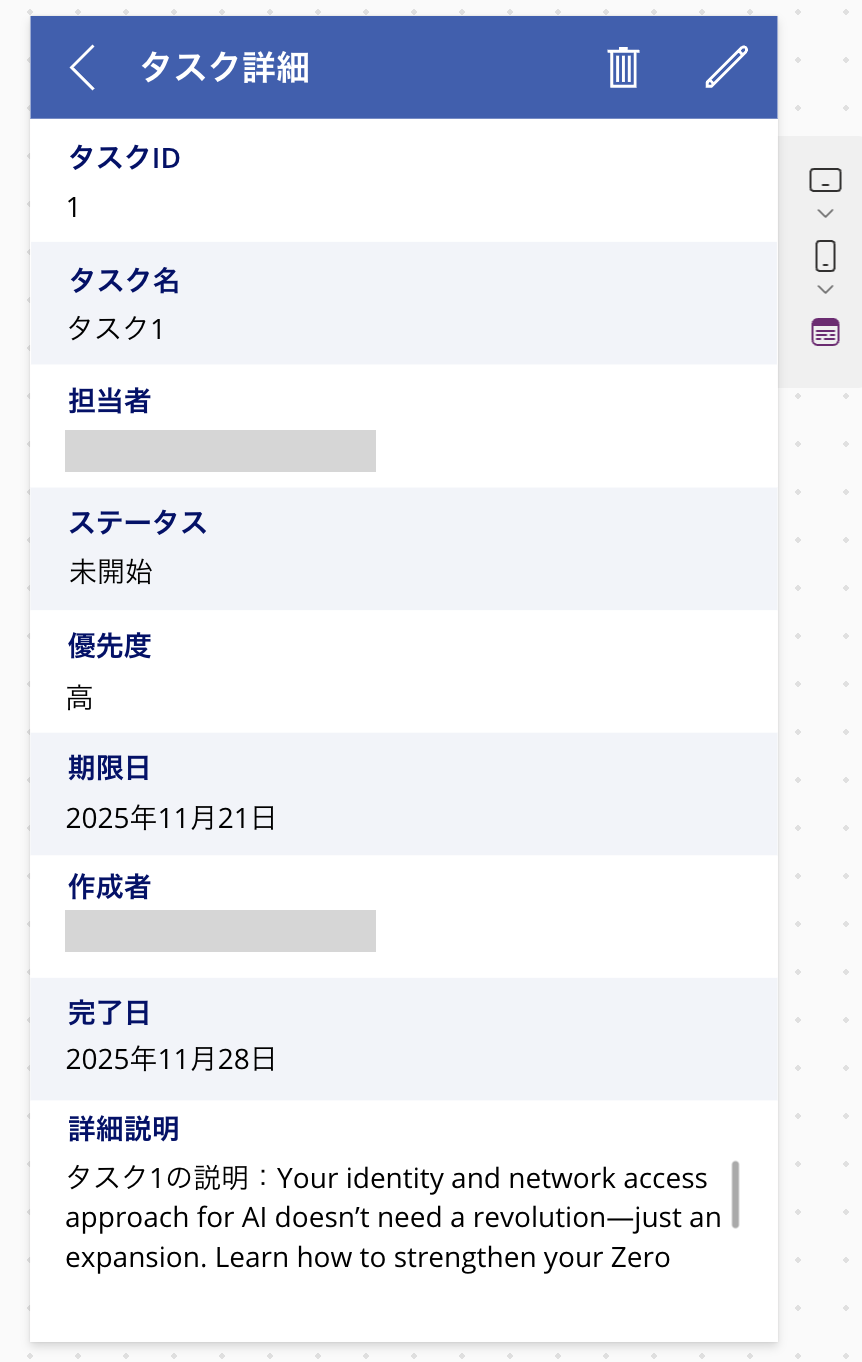
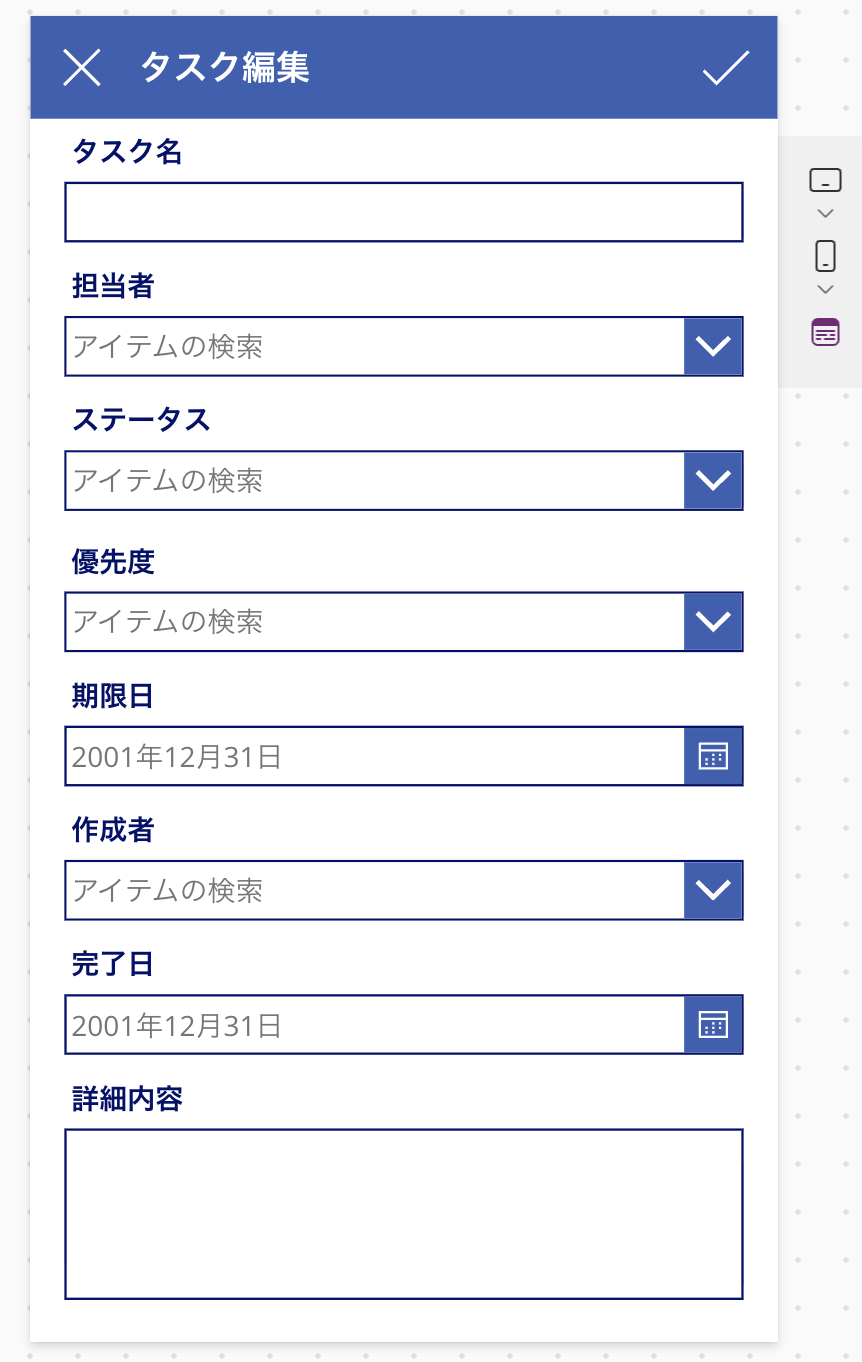
Process Automation (Power Automate)
Here are typical automation scenarios:
| Scenario | Processing | Implementation | Comments |
|---|---|---|---|
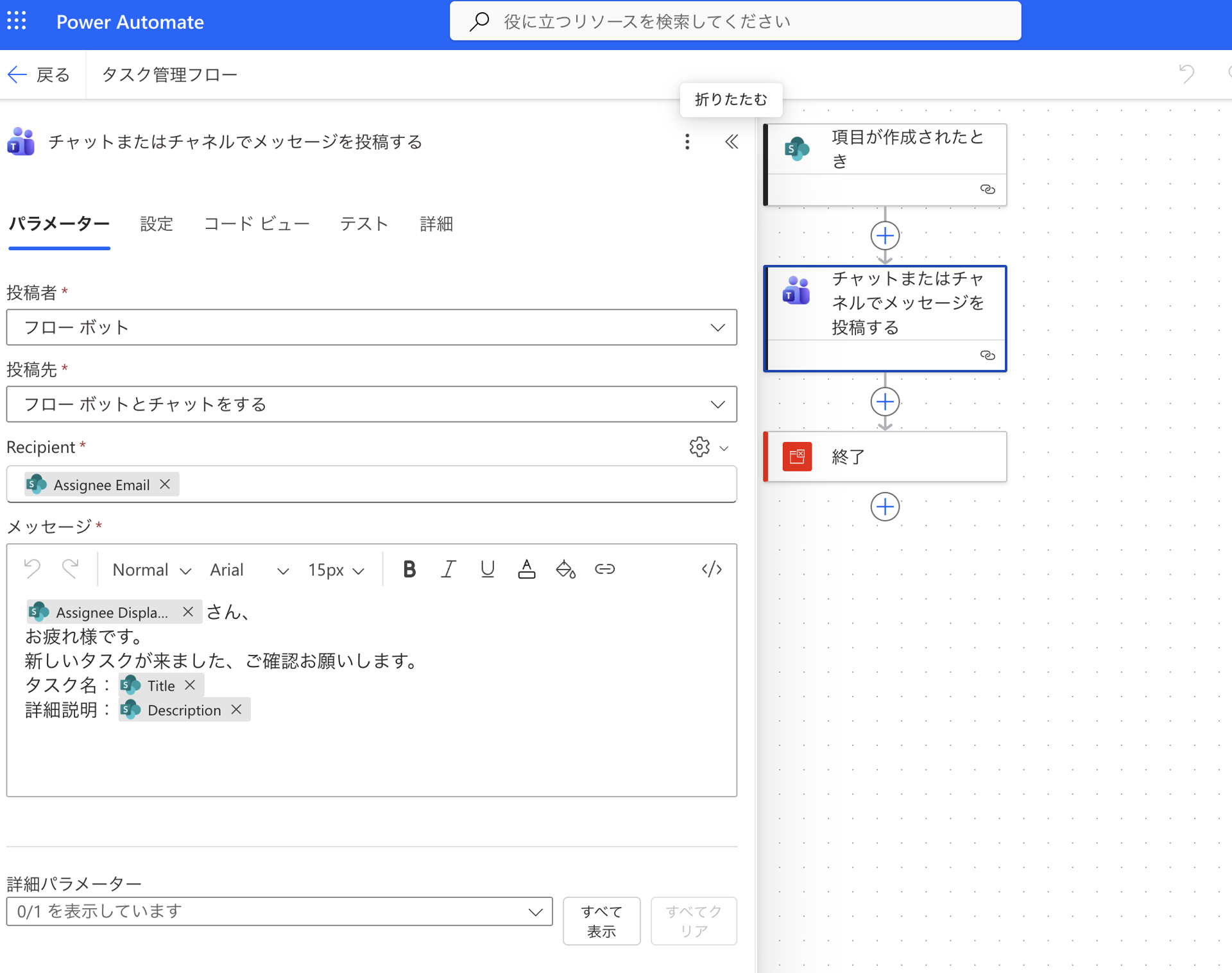
| Task creation | Notify assignee via Teams | Trigger on "When an item is created" and send to assignee via Teams |
Implemented |
| Status change | Update log | Update event to SharePoint | Example |
| Past due | Remind assignee and supervisor | Conditional branching + Teams message | Example |
| Weekly report | Send task summary to Teams | Scheduled trigger | Example |
Data Visualization (Power BI)
In Power BI, create reports such as:
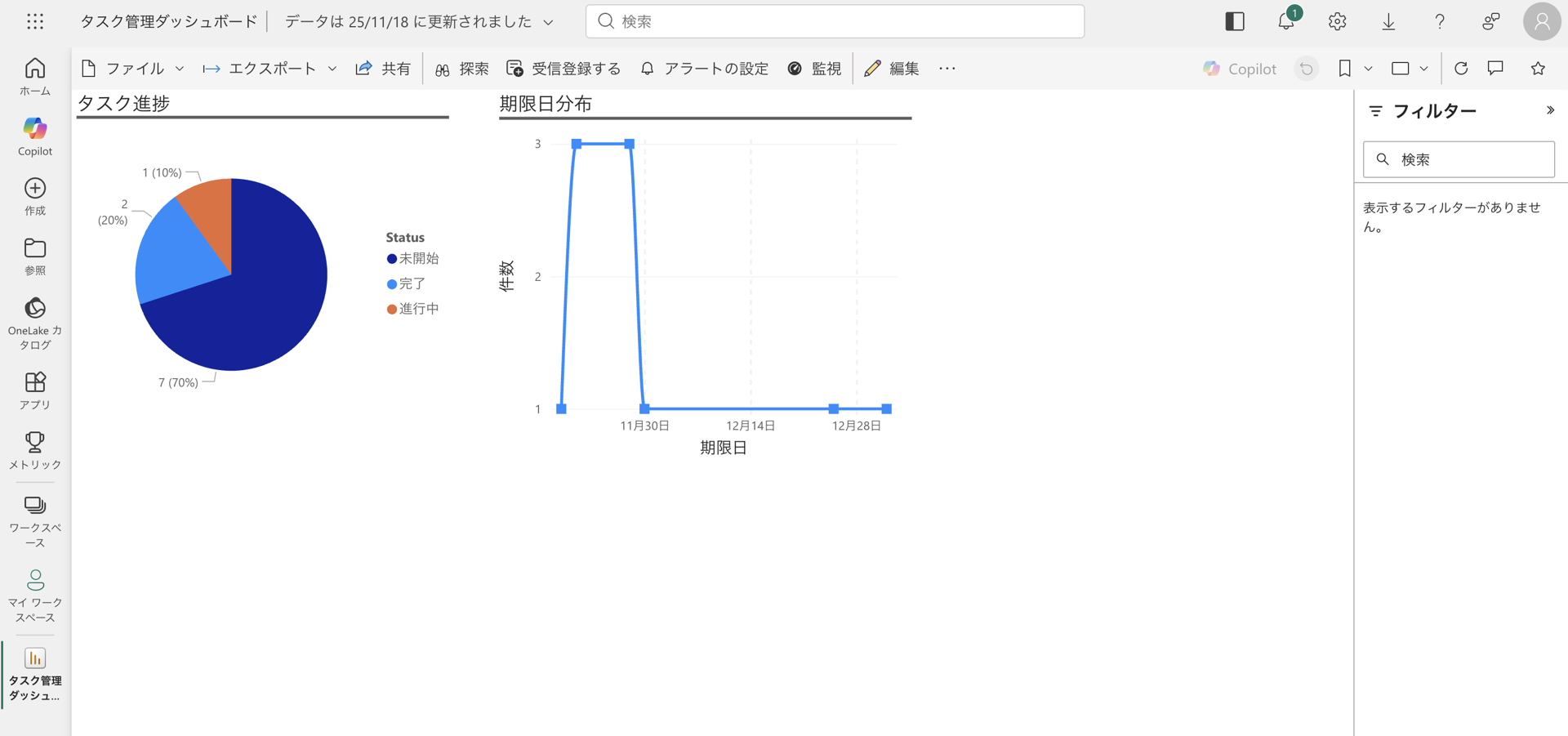
- Task status and progress rate
- Due date distribution
- Task count by assignee (*)
*: Retrieving assignee information requires editing in Power BI Desktop, but this was not implemented this time.
3. Integrated Experience Through Teams Integration
By centering operations around Teams, the following experience can be achieved:
- Display Power Apps as a tab within Teams channels
- Automatic notifications via Power Automate Bot
- Direct viewing of Power BI dashboards
In other words,
Users can complete task management without ever leaving Teams.
This is the true strength of Microsoft 365.
*Adding Power Apps and Power BI dashboards as tabs to Teams channels requires permissions, but this was not implemented this time.
4. Data Structure (SharePoint List)
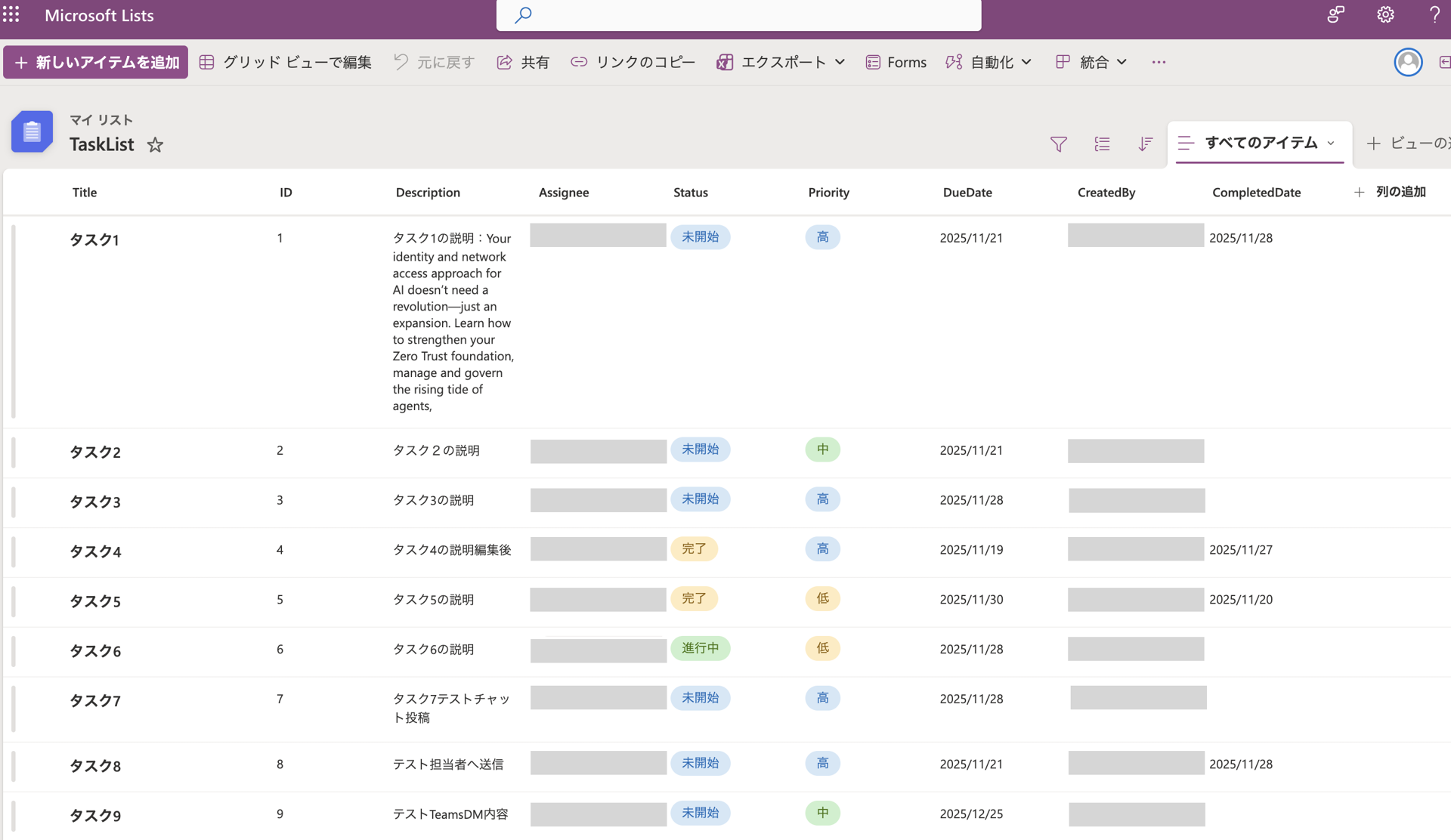
| Column Name | Data Type | Description |
|---|---|---|
| ID | Auto number | Unique task ID |
| Title | Text | Task name |
| Description | Multi-line text | Details |
| Assignee | User | Assignee |
| Status | Choice | Status: Not Started / In Progress / Completed / Delayed |
| Priority | Choice | Priority: High / Medium / Low |
| DueDate | Date | Due date |
| CreatedBy | User | Created by |
| CompletedDate | Date | Completion date |
5. Implementation Steps
- Prepare SharePoint List (Task List)
Create "TaskList" in SharePoint.
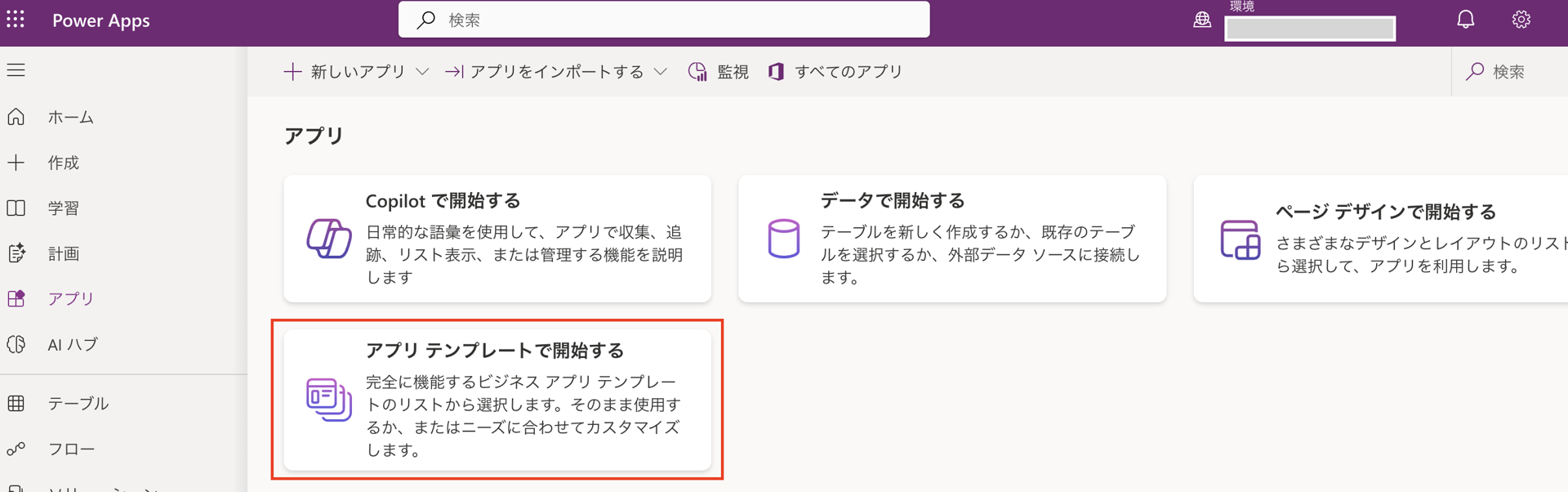
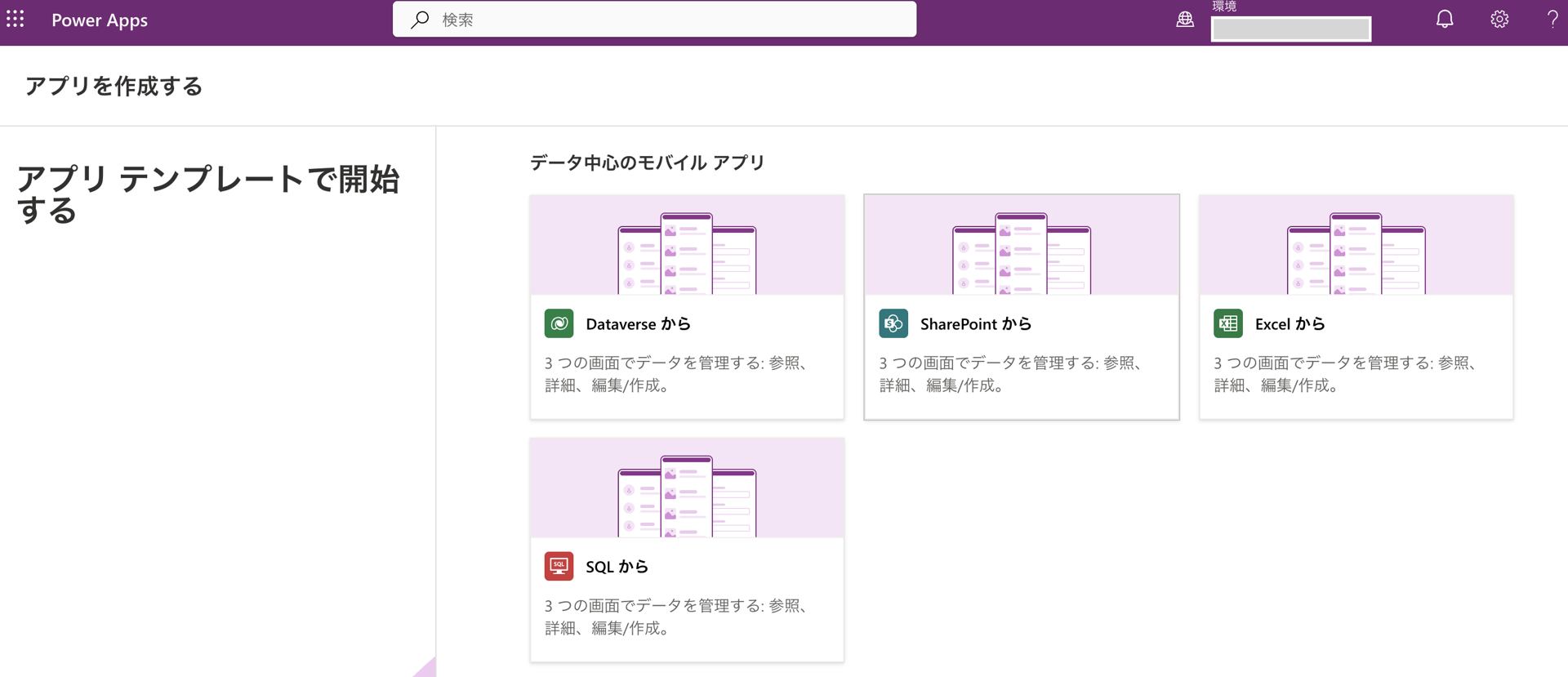
- Build Power Apps (Task Management App)
Use the convenient "Start with an app template" feature to quickly build the app.
- Build Power Automate (Task Management Flow)
Implement notifications to be sent to the assignee's Teams when a new task is created.
- Create Power BI (Task Management Dashboard)
Create visuals for "Task Progress" and "Due Date Distribution" on the dashboard.
- Teams Integration Settings
Add Power Apps and Power BI tabs (requires permissions, but this was not implemented this time).
6. Conclusion
By leveraging Power Platform, you can create a task management solution that anyone can build, is immediately usable, and seamlessly fits into your team. Please consider implementing this in your work.

関連記事 | Related Posts




We are hiring!
プロジェクトマネージャー(PjM)/KINTO開発推進G/東京
KINTO開発推進グループについて◉KINTO開発部 :67名 KINTO開発推進G:8名 KINTOプロダクトマネジメントG:5名 KINTOバックエンド開発G:17名 KINTOフロントエンド開発G:21名 業務管理システム開発G :9名 KINTO中古車開発G:10名 ...
シニア/フルスタックエンジニア(JavaScript・Python・SQL)/契約管理システム開発G/東京
契約管理システム開発グループについて◉KINTO開発部 :66名・契約管理開発G :9名★←こちらの配属になります・KINTO中古車開発G:9名・KINTOプロダクトマネジメントG:3名・KINTOバックエンド開発G:16名・KINTO開発推進G:8名・KINTOフロントエンド...