Struggle Story of QAG Members Who Joined in 2025
This article is the Day 14 entry for the KINTO Technologies Advent Calendar 2025 🎅🎄
Introduction
We, members who joined KINTO Technologies' QA Group in 2025, have participated in this Advent Calendar campaign!
This blog describes the topics we have worked on as QA team members from our joining the company to date.
We hope it serves as inspiration for QA professionals and helps developers understand that QA has tasks which are not perceived well.
Creating a Web App for Test Efficiency
-
Self-introduction
I'm Tomiyoshi. I worked as a QA in third-party verification at my previous job. I have almost no development experience. -
Content
One day, something came up.
We discussed how to efficiently test text input in a chat on mobile devices.
Someone said, "Why don’t we just use AI to create a web app?
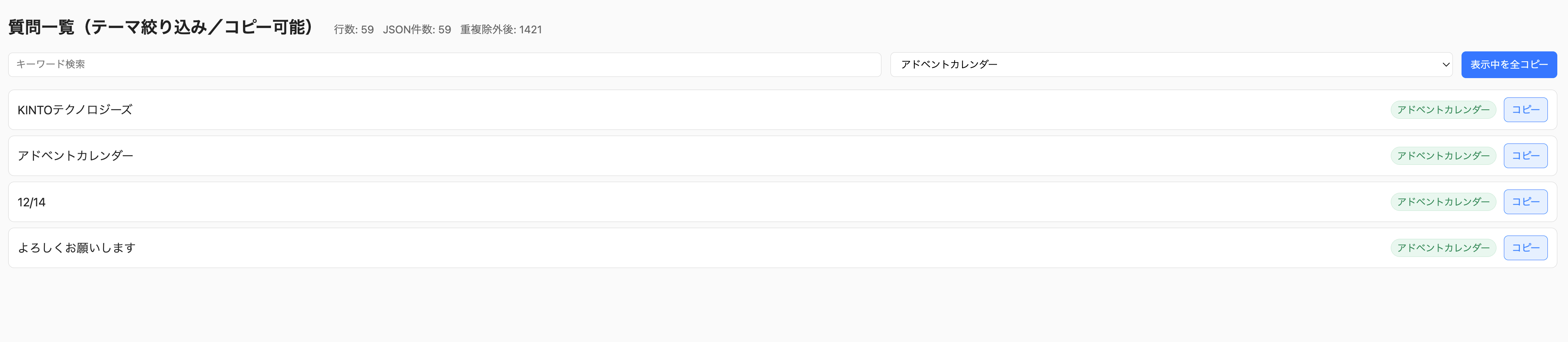
So, I built one!!
| Copy | Paste |
|---|---|
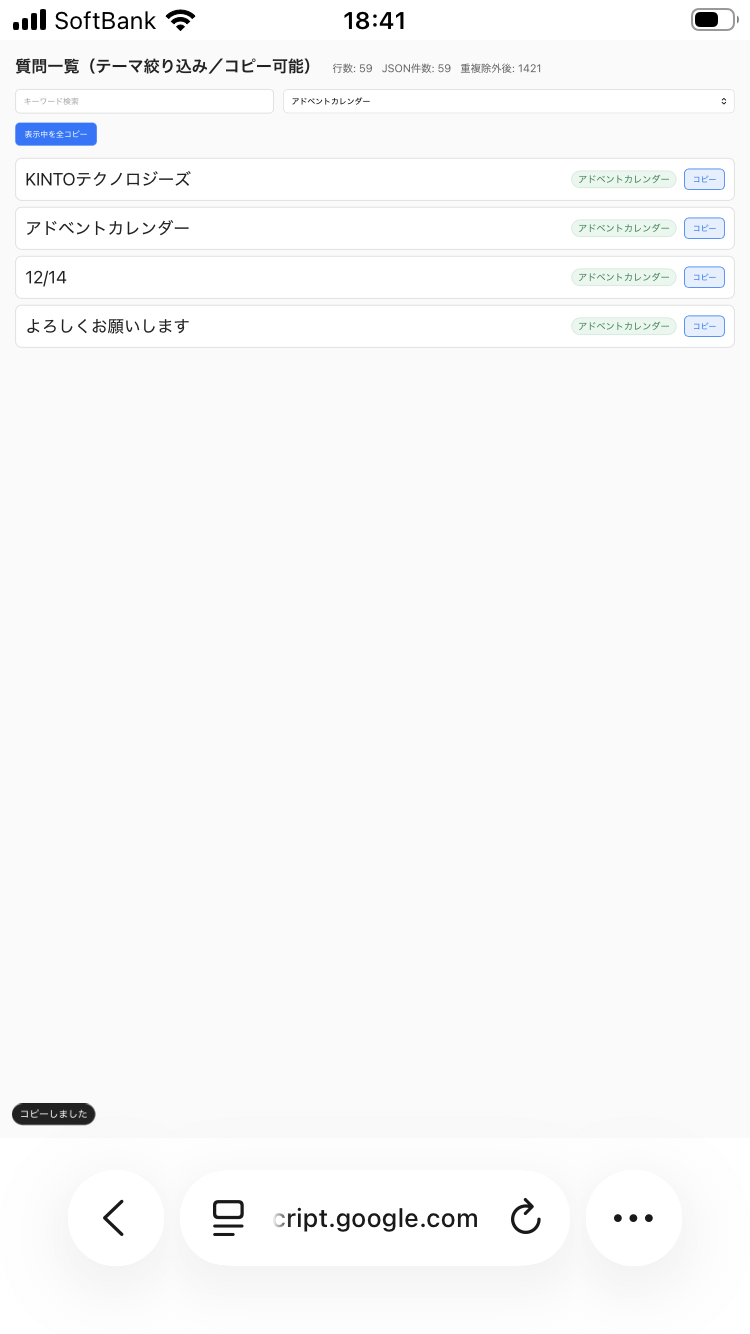 |
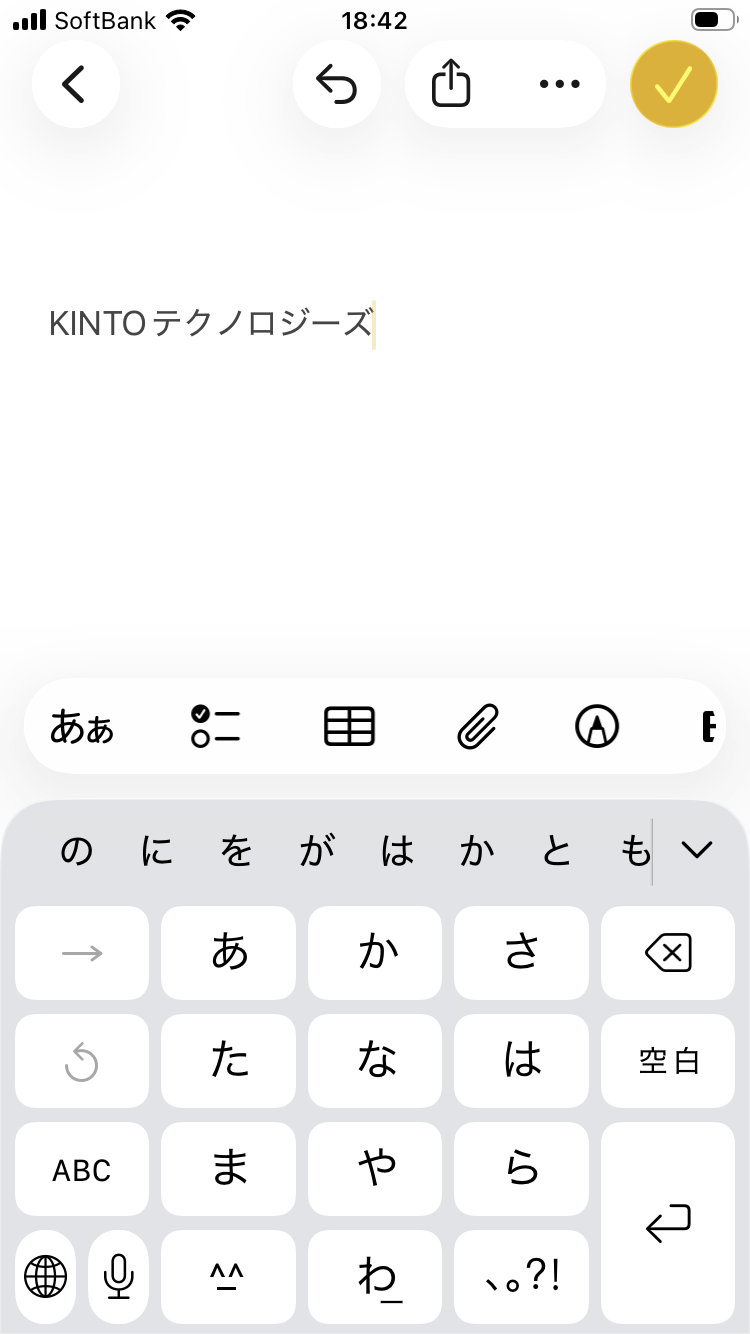 |
The system uses Zapier, a process automation tool.
After questions generated by AI are stored in Google Spreadsheet as a database,
we use Google Apps Script to create the web app.
| Tool | What a Tool Does | Reference Image | |
|---|---|---|---|
| 1 | Zapier | Creating a form screen Zapier's Interfaces feature allows you to create forms. |
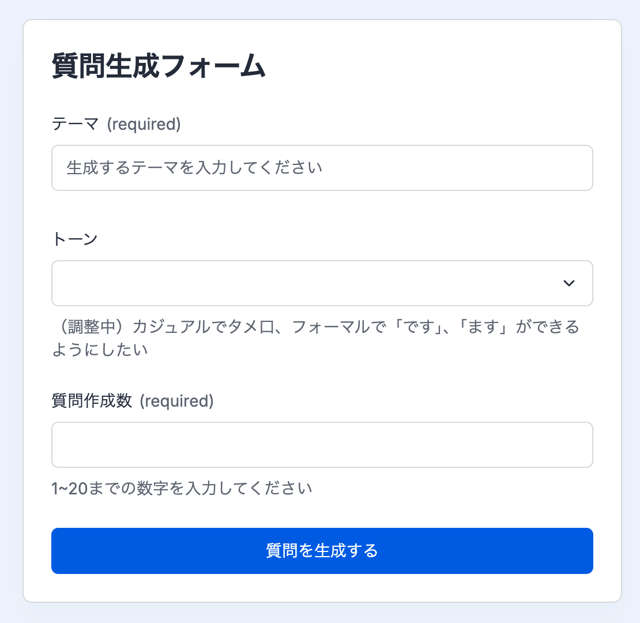 |
| 2 | Zapier | AI-powered question generation Generates questions based on input from the form screen. |
— |
| 3 | Zapier | Integration with Google Spreadsheet Links generated questions to Google Spreadsheet. This integration is enabled as a standard Zapier feature. |
— |
| 4 | Google Spreadsheet | Used as a database substitute Stores question content shared from Zapier |
— |
| 5 | Google Apps Script | Displays the web app based on the question content stored in Google Spreadsheet | — |
When I started creating the app, I was in doubt that I could finish it.
I proceeded by asking AI for details about how to accomplish each step for the app creation.
I was able to link Zapier to the spreadsheet. The linked content includes the generated question JSON (in Column D).
I want to create a web page that lists the contents of the questions in this JSON and allows for copying each one individually.
Attachment: Downloaded Google Spreadsheet Excel file
Of course, it didn't work on the first attempt, and errors occurred when I used the code generated by AI as-is.
By checking each error with AI one by one, I was able to create the app in the current format.
Initially, the app didn’t have a search function, so it somewhat lacked in convenience.
However, I believe the key to success is not to request too many things at once but instruct AI to add detailed features step by step.
Thanks to this approach, I rarely modified the code on my own.
I simply kept writing about what I wanted to do on prompt, and AI gave shape to my ideas by coding for about 1 to 2 days.
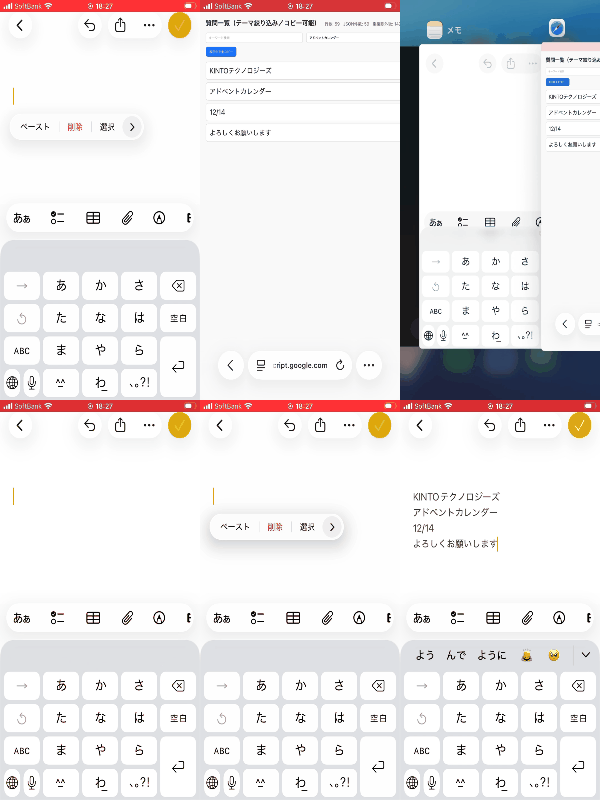
Once I registered template texts in advance to input into the chat using this web app,
all I need to do is to access it from a mobile device and copy-paste,
rather than to manually type texts on a keyboard, which increased the input task efficiency.
This was my first web app creation, but I managed to build it, collaborating with AI.
Despite a lack of development experience, I was able to create something like this, so I will continue trying to develop new things.
Appendix
Zapier: https://zapier.com/
Google Spreadsheet: https://workspace.google.com/intl/ja/products/sheets/
Google Apps Script: https://developers.google.com/apps-script?hl=ja
Presenting My Experience as a Beginner Setting Up an Appium Environment
-
Self-introduction
I'm Roki. At my previous job, I worked as a QA at a news app company. I have no development experience. -
Content
Hello!
Recently, I gave a lightning talk at Appium Meetup Tokyo #3 about "Stumbling Blocks for Beginners in Appium Environment Setup."
The event took place both online and onsite. I talked for 15 minutes about introducing four key points using slides.
The reason I felt interested in Appium was that I thought this could be my first step into coding!
However, as a beginner, getting stuck on environment setup may be discouraging.
Since I struggled quite a bit myself, I wanted to present my experience, hoping it might be helpful for others facing similar issues.
Here are the points I presented:
- AI is surprisingly capable of providing solutions when you ask about errors
- Checking the official Appium website ensures the correct versions
- Only launching necessary tools prevents tool conflicts
- Getting hands-on experience is the fastest way to learn Git commands
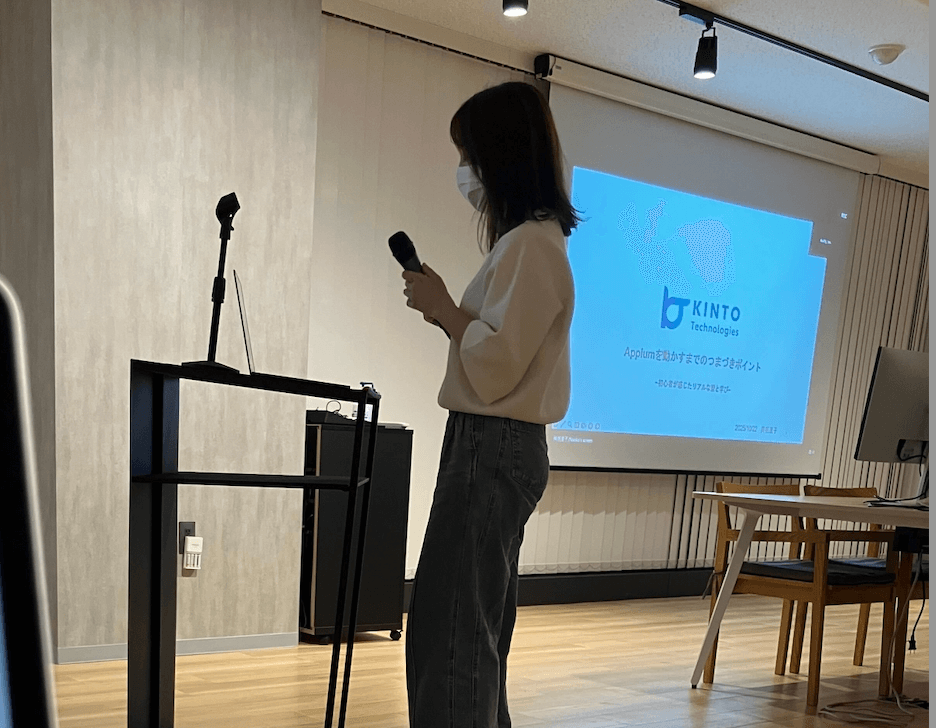
After my lightning talk, I was happy when participants told me that they could really relate to all common issues.
Speaking in front of people is still nerve-wracking, but I felt relieved when it ended.
I want to continue coding little by little and expand what I can do.
Appendix
Automation with Playwright
-
Self-introduction
I'm Higashi. At my previous job, I worked as a QA in third-party verification. I have almost no development experience. -
Content
The most memorable experience since I joined the company was testing automation.
I had never done it at my previous job, but when my manager and colleagues said, "Would you like to try it?" I was so excited that I immediately said, "Absolutely!"
The project I joined required regression testing to verify the entire process up to application completion under various conditions.
To automate the process, we decided to create a regression test script specifically for this project.
Also, my team has adopted Playwright as a tool for E2E testing automation,
and my colleagues had already completed data creation and regression test scripts to some extent.
Based on the scripts, I created ones for specified application conditions.
Although I had reference scripts,
when even one component operation differed—such as dropdown selections, text box inputs, or checkboxes and buttons to click—element retrieval errors would occur.
This hindered me from making progress as smoothly as I expected...
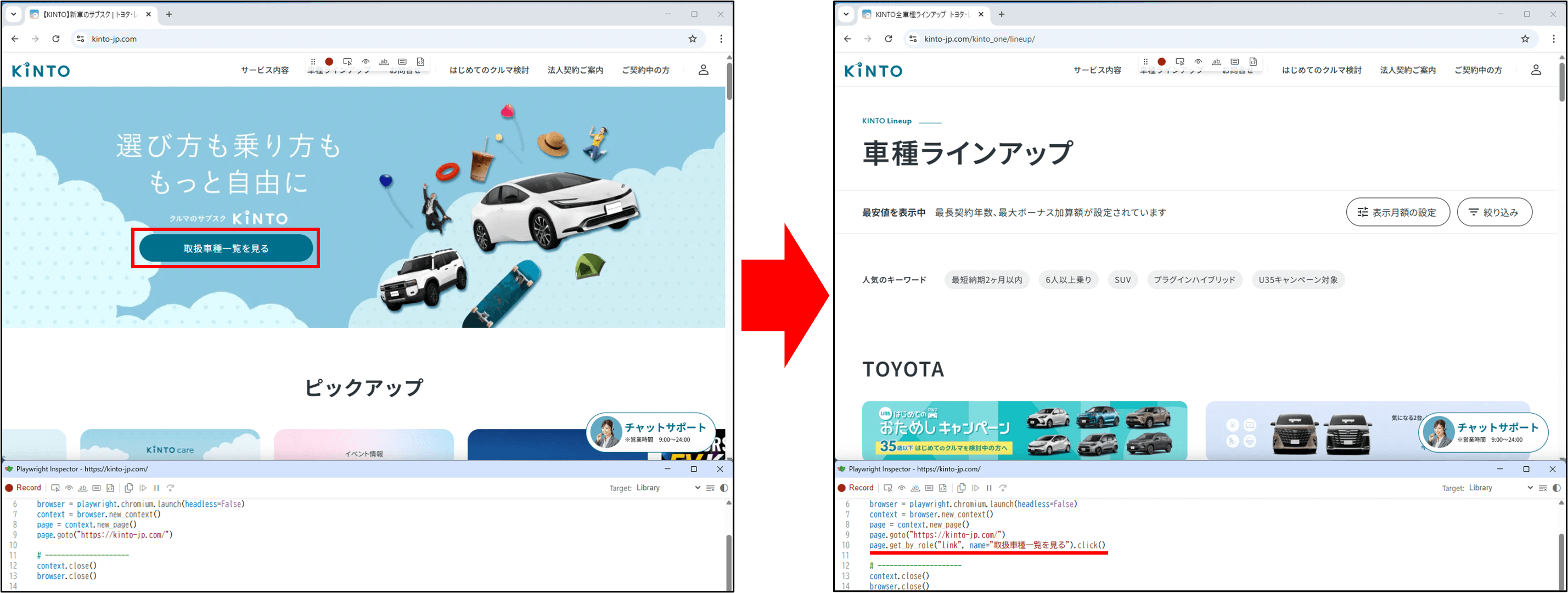
That's when I found a Playwright feature that helped me the most: the code generation feature.
It records browser operations and outputs automation code for them.
Using this feature for performing browser operations in line with the application conditions,
even beginners can easily generate code and retrieve elements. Thanks to the feature, errors are solved.
(Example: Recording the operation of clicking "View vehicle list")
There are still many convenient Playwright features I don't know about,
so I want to gradually learn how to use them by asking colleagues and researching on my own, thereby getting more familiar with Playwright over time.
Handling Appium-Related Tasks and Establishing Development Rules
-
Self-introduction
I'm m. I made a job change to QA when I joined KTC! Until my previous job, I was developing Android apps. -
Content
Recently, I had an opportunity to get involved with E2E testing automation using Appium, so I'll share that experience.
I'll touch on two main points: the differences between unit tests and E2E tests along with my impressions, and the establishment of development rules.
1. Introduction of E2E Testing with Appium
E2E testing reproduces the operations that users actually perform on devices and verifies the overall behavior of the app.
I worked on creating E2E tests for Android and iOS apps using Appium.
The particular issue was the execution time.
Wait times are unavoidable in E2E testing. Specifically, the following wait times occur:
- Waiting for UI operations
- Waiting for screen rendering
- Waiting for network communication
The more waiting time we have, the more test execution time and costs we need to spend in testing.
Therefore, it is significant to decide which scenarios to prioritize for testing and to design retry processing for cases where tests cannot execute normally due to external factors.
Currently, we are working on speeding up execution through discussions about processing content in our peer review phase.
As a result, we have achieved reduced load on some processes. We will continue to discuss and address these issues.
2. Establishing Development Rules
As the number of project members increased, we established development-related rules, such as reviewing branch strategies, branch protection settings, and PR rules.
Changing Branch Strategies
Previously, we used GitHub Flow, but we have now changed the version control system to Git Flow.
That is mainly because we wanted to manage releases for each version of the app we use.
Adopting Git Flow enabled clearer feature development and release management, reducing confusion when we handle multiple versions simultaneously.
Reviewing Branch Protection Settings
On the main branch running in the production environment,
we faced an issue that the application didn’t work due to individual environment differences among newly assigned developers, including myself.
To overcome the issue, we changed the branch settings to enable merging in creating PRs for the main and release branches only
when GitHub Actions workflows automatically verify that operation checks (running all tests) pass.
Establishing PR Rules
To clarify what each developer was doing for previous PRs,
we prepared a PR template including the following information:
- Summary of changes
- Details
- What was verified
- What reviewers should check
This template was designed to organize PR content and make reviews more efficient.
It helped us establish a foundation for more secure and safe development. We want to work together as a team to create an even better development environment.
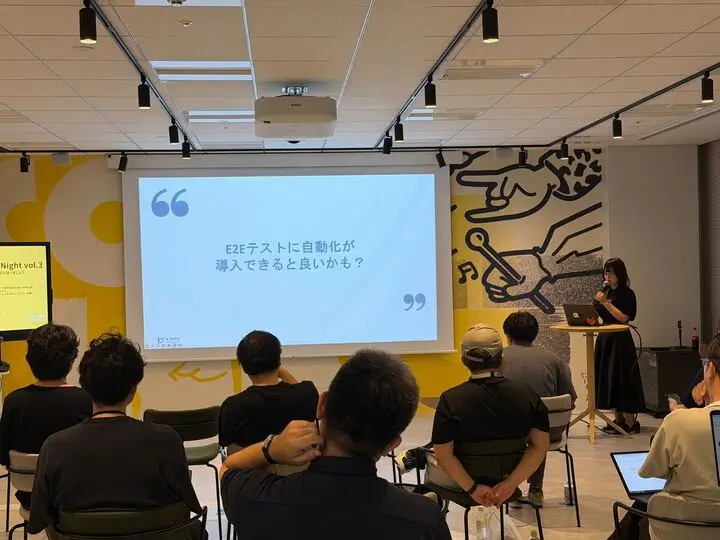
We continuously share initiatives like E2E testing automation using Appium and development rule establishment from a QA perspective at internal events.
We currently hold a monthly event called CO-LAB Tech Night at our Osaka branch (Osaka Tech Lab), so please join us...!
Here's a photo of the event when I presented at the QA session.
Conclusion
Thank you for reading to the end.
We hope this content serves as inspiration for your QA activities.

関連記事 | Related Posts

We are hiring!
【QAエンジニア(リーダークラス)】QAG/東京・大阪・福岡
QAグループについて QAグループでは、自社サービスである『KINTO』サービスサイトをはじめ、提供する各種サービスにおいて、リリース前の品質保証、およびサービス品質の向上に向けたQA業務を行なっております。QAグループはまだ成⾧途中の組織ですが、テスト管理ツールの導入や自動化の一部導入など、QAプロセスの最適化に向けて、積極的な取り組みを行っています。
【ソフトウェアエンジニア(リーダークラス)】共通サービス開発G/東京・大阪・福岡
共通サービス開発グループについてWebサービスやモバイルアプリの開発において、必要となる共通機能=会員プラットフォームや決済プラットフォームなどの企画・開発を手がけるグループです。KINTOの名前が付くサービスやKINTOに関わりのあるサービスを同一のユーザーアカウントに対して提供し、より良いユーザー体験を実現できるよう、様々な共通機能や顧客基盤を構築していくことを目的としています。