
4 min read
General
How We Made Book Management Easier

This summary was generated by AI. Please refer to the article for accurate details.
Read the summary
We replaced a messy, manual book management system with a smooth, automated solution. Before, employees had to contact the admin via Slack to borrow or return books, and the admin spent time manually updating Confluence. That process was slow and error-prone. Now, all books are listed on a JIRA Kanban board. Anyone can see which books are available, and just by changing the status to “Borrowing,” a user checks out a book. The admin no longer needs to update anything—status changes happen automatically. This cut down the admin’s daily work by 80%. The JIRA workflow has three statuses: “In Library,” “Borrowing,” and “Discarded/Lost.” When someone checks out a book, the system auto-fills the lending date, assigns the borrower, and tracks how many times it’s been borrowed. When returning, it clears dates and removes the borrower. These automated steps saved about 15 minutes per book per week. We added office-specific icons so users can instantly see which books are in Tokyo, Nagoya, or Osaka. Before, each office managed books separately—now everything is visible in one place. We also set up Slack alerts so the admin gets real-time updates when a book is borrowed or returned. This means the admin can monitor all books at a glance, no matter where they are. As a result, the admin no longer spends time on manual updates and can now see all borrowing activity at once. Borrowers don’t need to send Slack messages—they just change a status in JIRA. This reduced friction by 90% and made book access faster and easier for everyone.
Introduction
Hello, my name is Rina and I’m part of the development and operations team of our product Mobility Market by KINTO at KINTO Technologies. I mainly work as a frontend engineer using Next.js. Recently, I’ve been into painting Gundam models and playing Splatoon 🎮
At KINTO Technologies, we have the opportunity to purchase work-related books at the company’s expense. These books are managed by the CIO Office and are available for employees to borrow freely. So, in this post, I'd like to share how we made the management of these purchased books easier!
The Previous Book Management Method
The previous method of book management was to use Confluence and manually update the lending status.
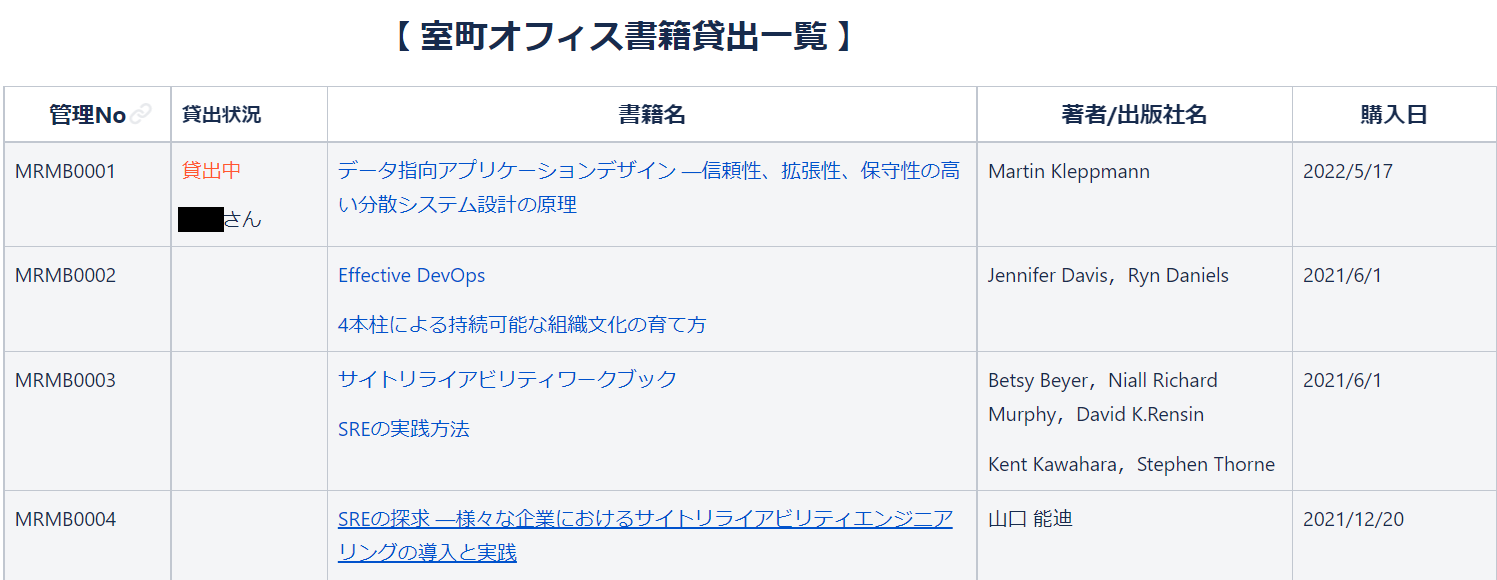
The management flow was as follows:
- The administrator adds the purchased books to the book lending list in Confluence.
- Those wishing to borrow a book can select it from the book lending list in Confluence and contact the administrator via Slack to request a loan.
- The administrator then updates the lending status in Confluence based on Slack messages
When lending books this way,
- Those wishing to borrow or return books must contact the administrator via Slack.
- The administrator has to manually update the lending status each time.
This was a hassle.
To simplify things, we’ve completely overhauled the way we manage our books!
The New Book Management Method
The new method uses JIRA workflows and Kanban-style boards, allowing everyone to see the lending status without going through the administrator.
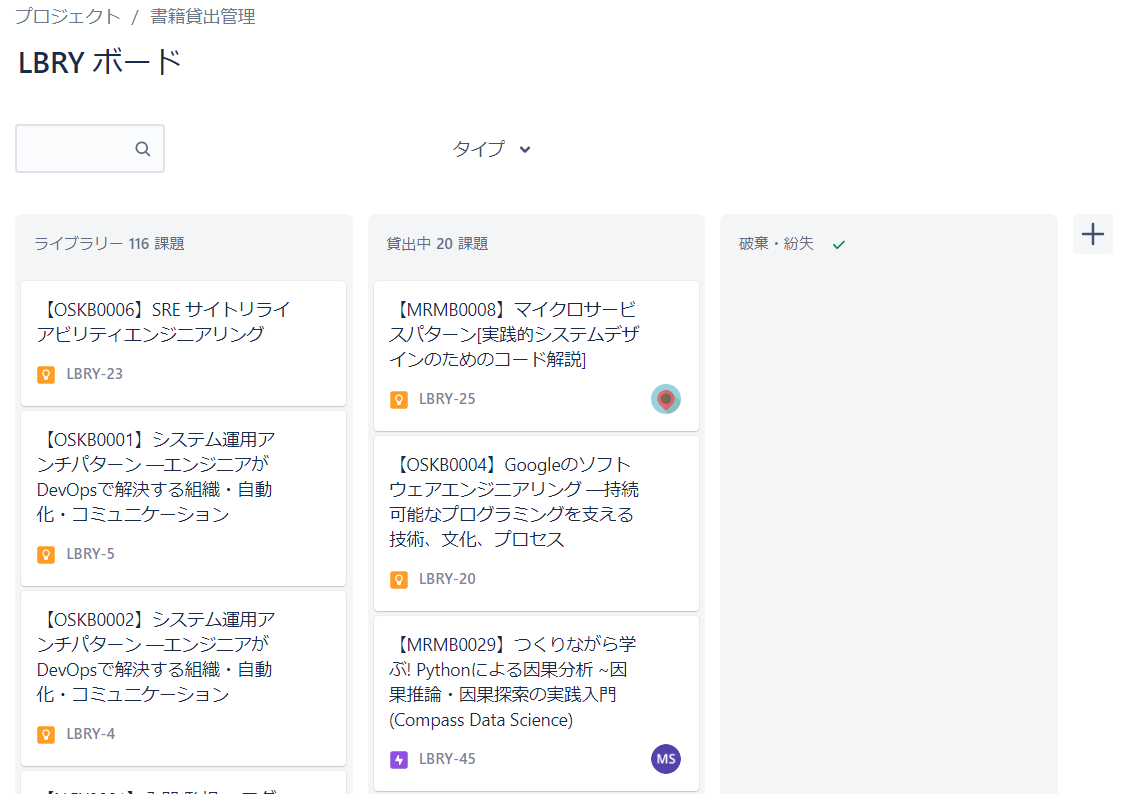 Kanban-style board
The management flow was as follows:
- The administrator registers the purchased books as tickets in the board's library.
- Those wishing to borrow a book can select it from the library and change the status to "Borrowing".
And that's it! By registering all purchased books on the Kanban board, the administrator can instantly view the lending status at a glance—no need for manual updates. Meanwhile, anyone wishing to borrow or return books can easily update the status themselves, without the need to contact the administrator or use Slack for these tasks.
A JIRA Workflow to Simplify Tasks
To create this board, we have set up the following workflow:
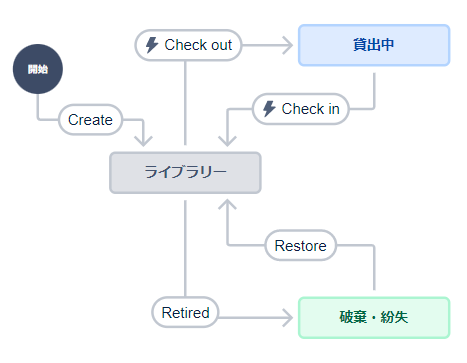 Workflow
We created three statuses, "In Library," "Borrowing," and "Discarded/Lost." By automating the transition between these statuses, we’ve minimized the need for manual input. The settings for each workflow are as follows:
Check out (Changing a book’s status from "In Library" to "Borrowing")
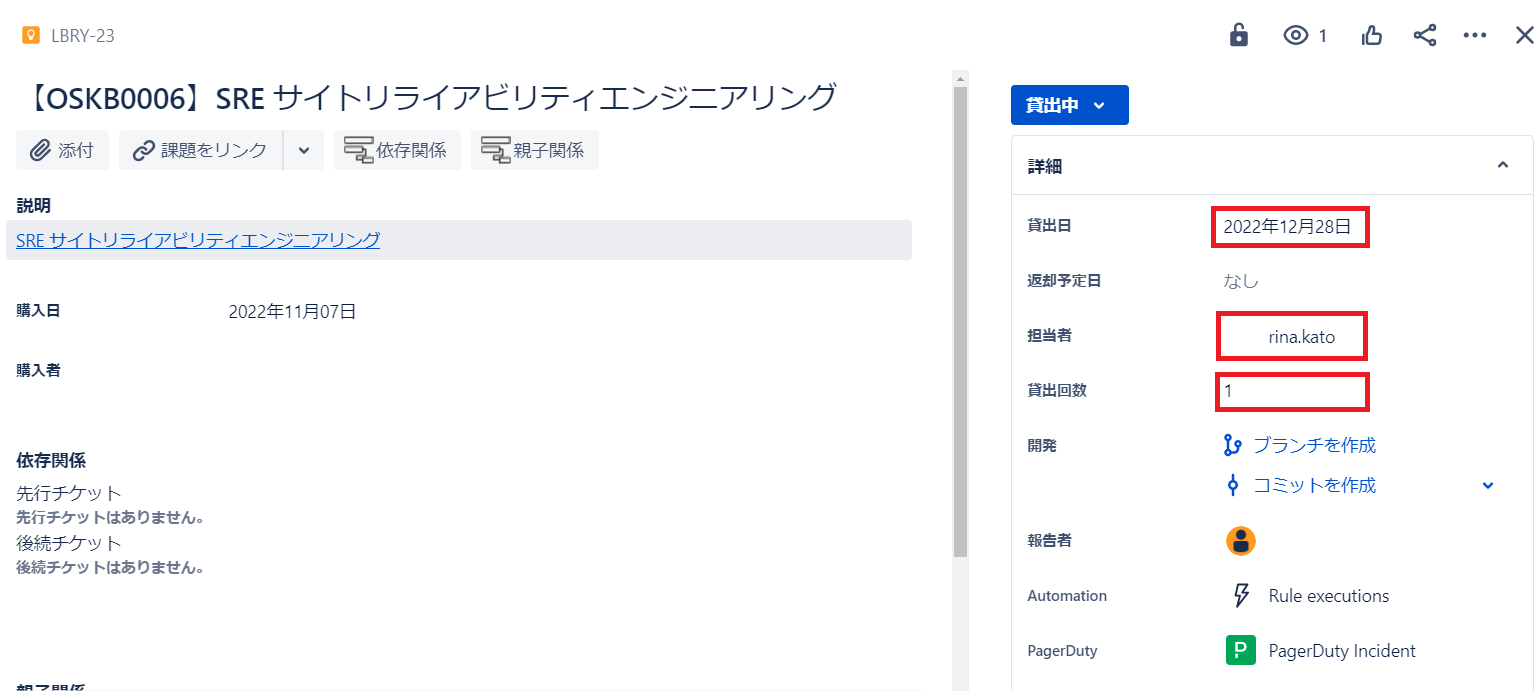
- Automatically inserts current date as the lending date.
- Automatically assigns the borrower as the assignee in the Jira ticket.
- Counts the number of times the book has been borrowed.
Check in (Change the status from "Borrowing" to "In Library")
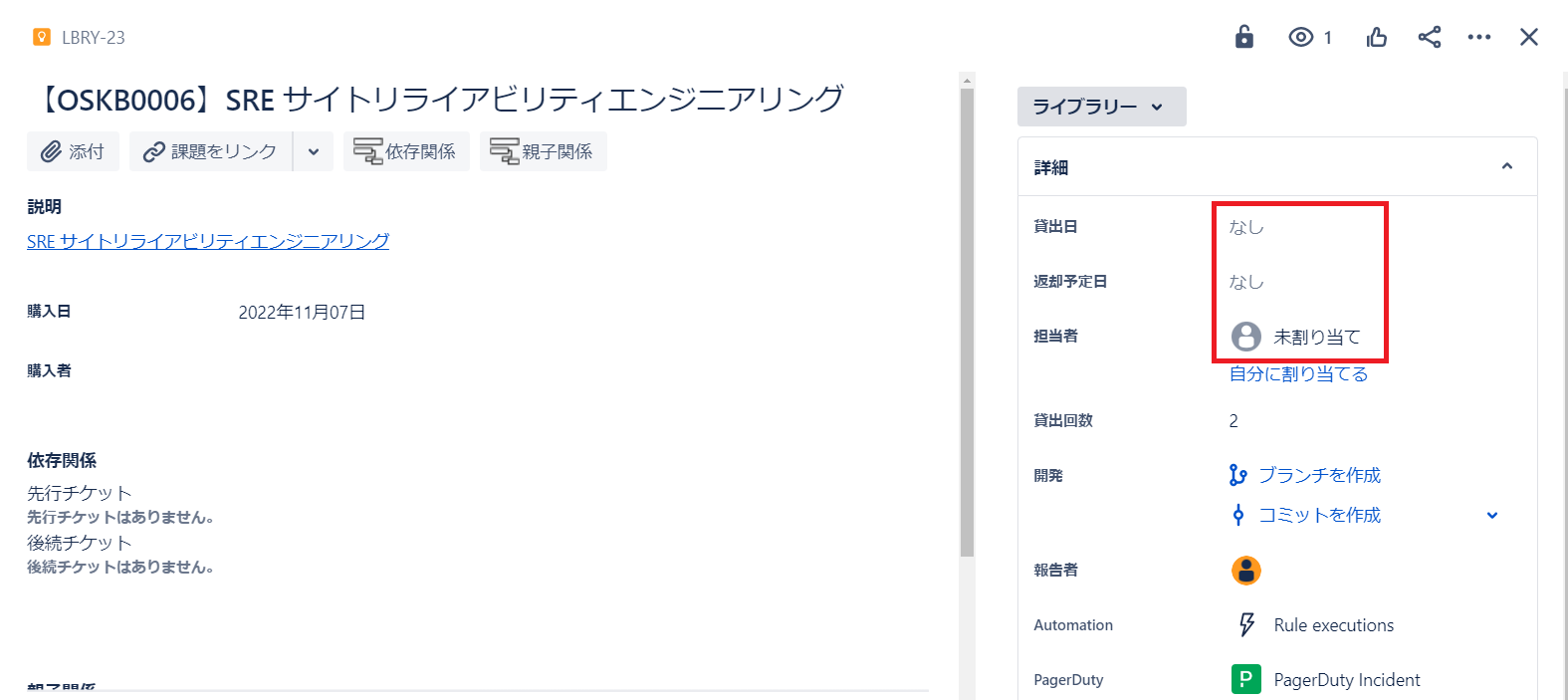
- Automatically clears the lending and expected return dates.
- Automatically removes the borrower as the assignee.
A Little Trick to Make Things Even Easier
Get an overview of book management across all offices
We’ve added icons for each location, making it easy to see which books are available in each office at a glance. You can also filter and display the management status by selecting the office type.
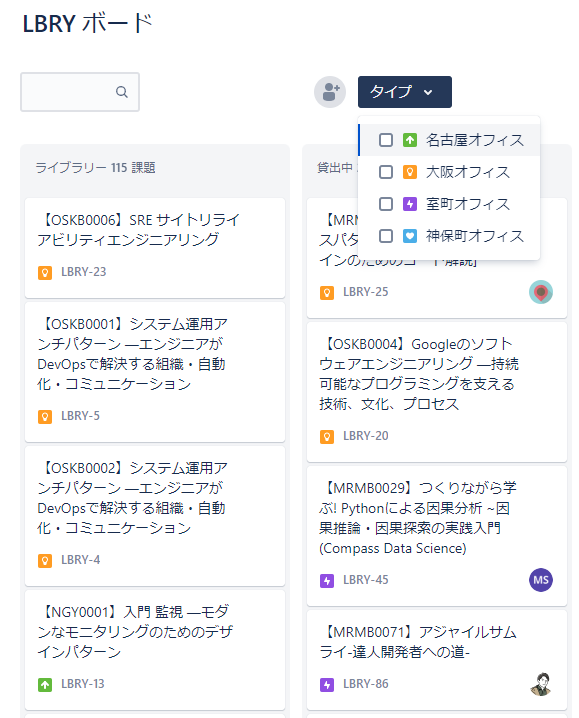
KINTO Technologies has two offices in Tokyo and one each in Nagoya and Osaka. Previously, each office managed its books separately, but now all books can be managed centrally on a single board.
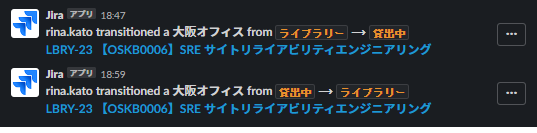
Receive Slack notifications when the status changes
We also use JIRA's notification feature to inform the administrator about status changes via Slack. This Slack integration has made it easier to track newly purchased books and monitor who has changed the status.
Improvement Results
As a result of revising the book management method, we have achieved the following benefits:
-
For administrators:
- No longer need to manually update the management status of books.
- Can quickly view the lending status and see who has borrowed the books.
- Can centrally manage books that were previously managed separately by each office.
-
For borrowers:
- No longer need to contact via Slack when borrowing or returning books.
- Can simply notify the administrator by changing the Jira ticket status (no text input required!)
Conclusion
In this article, we shared how we simplified our book management method. By reducing some of the hassle, we hope to make both administrators and users happier✨

関連記事 | Related Posts






We are hiring!
Follow Us



KINTOテクノロジーズの最新情報をSNSで発信中!イベント・テックブログ更新情報もお届けします。