
6 min read
General
Inside Our Vulnerability Diagnostics Efforts

This summary was generated by AI. Please refer to the article for accurate details.
Read the summary
We solved the problem of identifying security flaws that threaten confidentiality, integrity, and availability in our software. These three principles—CIA—are the foundation of information security. For example, if unauthorized users can see a payslip, confidentiality is broken. If someone edits it without permission, integrity is lost. If the payslip isn’t accessible when needed, availability fails. To catch these flaws, we run vulnerability diagnostics across web apps, platforms, and smartphone apps. For web apps, we focus on dynamic testing, using both automated and manual methods. Tools like AppScan automatically scan input fields for issues like SQL injection—saving time by testing many fields at once. But for risks like broken access control, where permissions are misconfigured, we rely on BurpSuite. Humans can better understand how an app behaves under real user scenarios, which automated tools miss. On the platform side, we use nmap to check firewalls, servers, and configurations. We look for open ports, outdated software, misconfigurations, and protocol flaws. This helps us find risks that could be exploited from the network level. In smartphone apps, we test both the app itself and its WebAPIs. We use OWASP’s Mobile Security Guide for static checks and plan to adopt MobFS for more advanced, automated testing in the future. The key takeaway is that no single tool or method works for all risks. We combine automation for speed and consistency with human judgment for deeper understanding. As new tech like GraphQL grows in use, we keep learning and adapting—ensuring our diagnostics stay effective against evolving threats.
Self Introduction
I am Morino, team leader of the CIO Office Security Team at KINTO Technologies. My hobby is supporting Omiya Ardija, the soccer team from my childhood hometown, Omiya, which is now part of Saitama City in Saitama Prefecture. In this article, I'll be introducing our vulnerability diagnostics efforts alongside Nakatsuji-san, who is passionate about heavy metal and is the main person in charge of our vulnerability diagnostics.
What is vulnerability?
Let's take a moment to consider: what exactly is a vulnerability? A vulnerability refers to software bugs (defects or flaws) that compromise the CIA of information security. CIA stands for the following three terms:
- Confidentiality
- Integrity
- Availability
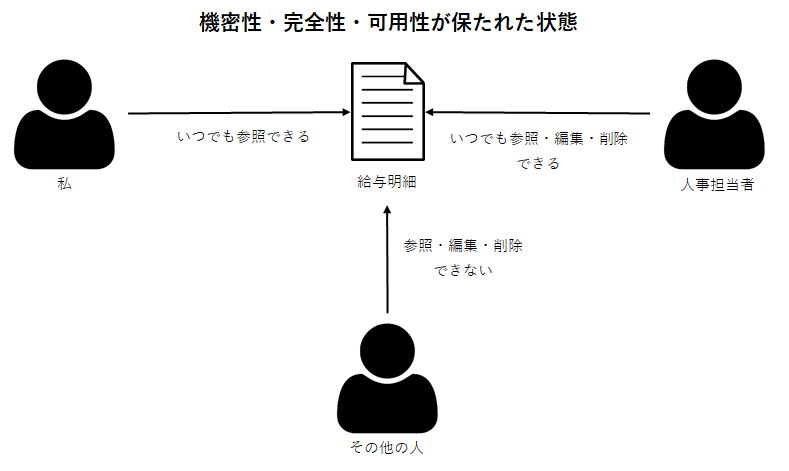
Confidentiality ensures that only authorized individuals have access to specific information. For example, in an app used to view payslips, confidentiality is upheld if only HR personnel and I (as authorized individuals) can access my payslip. If a software bug allows others to view it, confidentiality is compromised.
| Confidentiality is maintained | When only authorized individuals can view the payslip. |
| Confidentiality is compromised | When unauthorized individuals can view the payslip. |
Integrity ensures that information remains complete, accurate, and untampered with. Using the same payslip example, integrity is maintained if only HR personnel can delete or modify the contents of my payslip. If others can delete or alter it, integrity is compromised.
| Integrity is maintained | When only authorized individuals can delete or edit the payslip. |
| Integrity is compromised | When unauthorized individuals can delete or edit the payslip. |
Availability ensures that information is accessible whenever it’s needed. For example, availability is maintained if HR personnel and I can access my payslip whenever necessary. If we cannot access the payslip when needed, availability is compromised.
| Availability is maintained | When the payslip is always accessible |
| Availability is compromised | When the payslip is not accessible |
About our vulnerability diagnostics efforts
The goal of vulnerability diagnostics is to identify bugs that compromise the CIA of information security. At our company, we conduct the following types of vulnerability diagnostics:
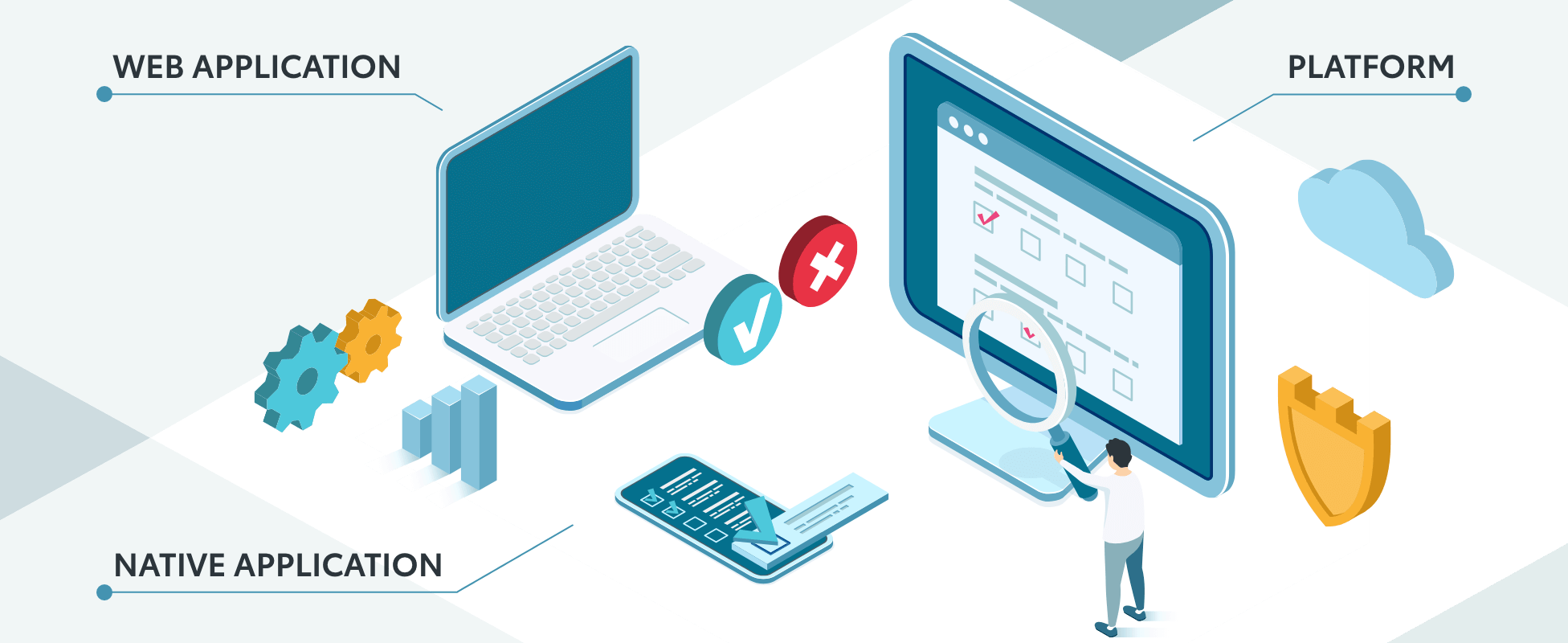
- Web Application Diagnostics
- Platform Diagnostics
- Smartphone Application Diagnostics
Web Application Diagnostics
Web application diagnostics can be broadly categorized into static and dynamic diagnostics.
Static diagnostics is a method that involves identifying insecure code from the source code without running the application. Dynamic diagnostics is a method that evaluates the security of a running web application. Both types of diagnostics can be performed automatically or manually. Automated diagnostics is the process where tools automatically check the source code or web application based on predefined settings. Manual diagnostics is the process where humans manually inspect the source code or web application for vulnerabilities. Static diagnostics is also known as SAST (Static Application Security Testing), and dynamic diagnostics is known as DAST (Dynamic Application Security Testing).
In our web application diagnostics, our security team primarily focuses on dynamic diagnostics but I will explain both automatic and manual methods used in dynamic diagnostics.
Automated diagnostics
At our company, we use an automated diagnostic tool called AppScan. For example, when diagnosing whether a web application has SQL injection vulnerabilities, we input and execute attack codes designed to trigger SQL injections in the input fields. Manually checking every input field with various attack codes is time-consuming. If the web application session expires during diagnostics, we have to log in again, and some functions require a specific sequences of screen transitions, which can be tedious. Automated diagnostic tools like AppScan handle these tasks efficiently, making them incredibly useful.
Manual diagnostics
For manual diagnostics, we use a tool called BurpSuite. You might wonder why we conduct manual diagnostics when we have automated tools. The security community’s, OWASP (Open Web Application Security Project), has released OWASP Top 10, a ranking of the most critical security risks. Injection, which ranks third in the OWASP Top 10, is something automated tools are good at detecting. These tools can thoroughly input various attack codes into fields more comprehensively than a human could. So how about the top issue on the list, broken access control? You may ask This issue is similar to the example I mentioned earlier about ensuring the confidentiality of an app used to view payslips. Unfortunately, automated tools struggle with understanding the specifics of a web application’s design and determining whether its behaviors are appropriate. Diagnosing such vulnerabilities requires a manual approach.
Platform Diagnostics
Platform diagnostics involve evaluating network devices such as firewalls and load balancers, as well as the configurations of servers that host web applications, including vulnerabilities in server operating systems and middleware. For platform diagnostics, we use a tool called nmap. During these diagnostics, we check for the following:
・Open unnecessary ports
・Use of vulnerable software
・Configuration issues
・Protocol-specific vulnerabilities.
Reference: Guidelines for Introducing Vulnerability Diagnostics in Government Information Systems P.7
Smartphone Application Diagnostics
Smartphone app diagnosis typically involve two parts: diagnostics of the app itself and diagnostics of the WebAPI. For the WebAPI, we conduct vulnerability diagnostics similar to those for web applications. For the app itself, we perform static diagnostics based on OWASP’s Mobile Application Security Testing Guide (MASTG). For future use, we are considering utilizing MobFS, which supports both dynamic and static diagnostics for app diagnosis.
Recommended Books, Resources, and Websites for Learning More About Vulnerability Diagnostics
If you’ve read this far, you might be interested in learning more about vulnerability diagnostics. Here are some helpful books, documents, and websites for further study.
Books
How to create Secure Web Applications systematically, 2nd Edition: Understanding the principles and implementing countermeasures for vulnerabilities Commonly known as the “Tokumaru book”, is considered a foundational text for those learning about vulnerability diagnostics. It's so thick that it could be used as a blunt instrument, so if you want to carry it around, I recommend purchasing the e-book version.
Documents
How to Create a Secure Website by IPA. As the title suggests, this document provides information on how to create a secure website. It has fewer pages than the Tokumaru mentioned above, so I recommend it for those who are new to vulnerability diagnostics.
Websites
WebSecurityAcademy This is a vulnerability learning site run by PortSwigger, the developer of the vulnerability diagnostic tool, BurpSuite, mentioned above. It consists of textbook material on vulnerabilities and hacking exercises. You can learn by actually completing the exercises on your browser.
Conclusion
In this article, we introduced the security team's efforts in vulnerability diagnostics.
Recently, it has become popular to implement WebAPIs using GraphQL rather than REST APIs. As the IT world is a place where technologies come and go quickly, we will continue to strive to collect information and improve our operations on a daily basis so that we can effectively diagnose vulnerabilities in applications built with new technologies.

関連記事 | Related Posts


We are hiring!
セキュリティエンジニア/サイバーセキュリティ G/東京・名古屋・大阪・福岡
募集ポジションについて本ポジションでは、セキュリティ・プライバシー部/サイバーセキュリティ グループに所属し、当社サービスおよび社内システムのサイバー防御強化に携わっていただきます。SOC運用や脆弱性管理を通じて、企業全体のセキュリティレベルを向上させる重要な役割を担うポジションです。
【オープンポジション】「気になる!」方はまずはこちらからご応募ください。/東京・名古屋・大阪・福岡
業務内容国内外のKINTOサービスや、トヨタグループの金融、モビリティサービスの内製開発組織である同社にて、ご経験・ご志向性に応じて配属を決定し、ご活躍いただきます。
Follow Us



KINTOテクノロジーズの最新情報をSNSで発信中!イベント・テックブログ更新情報もお届けします。