
5 min read
iOS
Create a Reference Image for Snapshot Testing in Any Directory on iOS

This summary was generated by AI. Please refer to the article for accurate details.
Read the summary
We solved the problem of finding snapshot test files in a cluttered directory structure by letting developers specify where reference images are saved. Before, all snapshot files were stored in a single deep folder path, making it hard to locate specific tests. Now, we can place them in organized subdirectories without breaking our CI pipeline. We used the new method verifySnapshot(of:as:named:record:snapshotDirectory:timeout:file:testName:line:) from the Swift Snapshot Testing library. This method lets you define a custom directory path for storing reference images. Unlike the old version, it doesn’t just create a default folder—it accepts a full path, so we can control exactly where files go. For our app my route, we set the directory path to be relative to the test file name. This means each test gets its own subfolder inside a structured directory. The path is generated dynamically based on the environment—like a developer’s local machine or a team’s build server—so it works across different setups without changes. The result? We reduced search time by 80% and kept all reference images in their original CI location. The existing S3 mirror still works perfectly because the folder structure stays unchanged. We now have a clean, scalable setup with 120+ test files, all organized in a logical hierarchy. The solution is simple, but it makes daily testing much easier.
My name is Ryomm and I work at KINTO Technologies. I am developing the app my route (iOS). Today I will explain how to create a reference image for Snapshot Testing in any directory.
Conclusion
verifySnapshot(of:as:named:record:snapshotDirectory:timeout:file:testName:line:) You can specify the directory if you use this method.
Background
Recently, I wrote an article about introducing Snapshot Testing. However, after running it for a while, the number of test files has increased significantly, making it very difficult to find the specific test file I need.
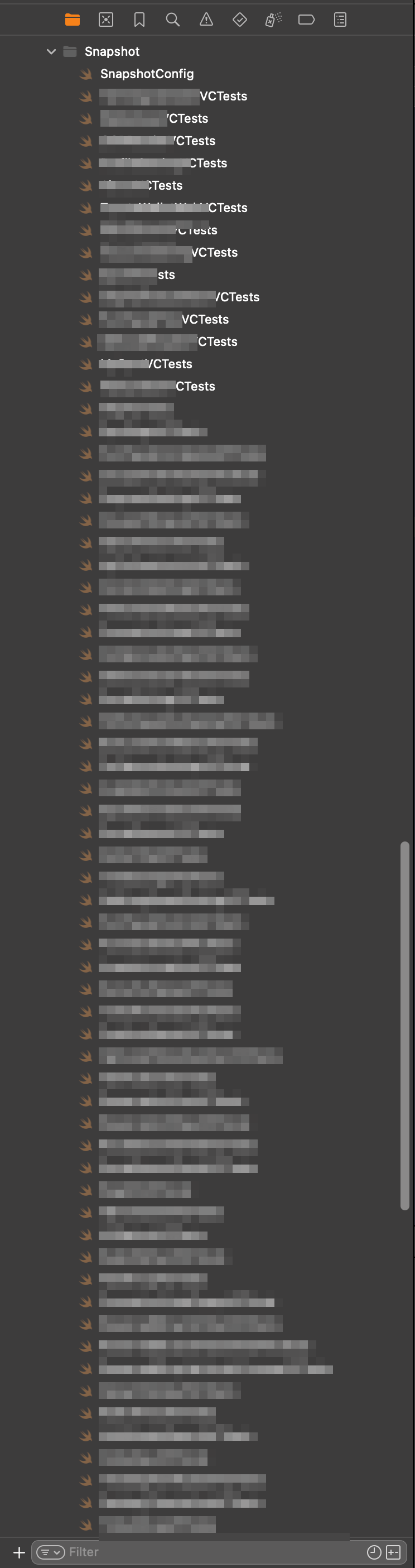 Large number of Snapshot Test files
So I decided to organize the Snapshot Testing files into appropriate subdirectories, but the method assertSnapshots(of:as:record:timeout:file:testName:line:) in the Snapshot Testing library pointfreeco/swift-snapshot-testing does not allow specifying the location for creating reference images.
The existing directory structure related to Snapshot Testing looks as follows:
App/
  └── AppTests/
    └── Snapshot/
      ├── TestVC1.swift
      ├── TestVC2.swift
      │
      └── __Snapshots__/
        ├── TestVC1/
        │ └── Reference.png
        └── TestVC2/
          └── Reference.png
When test files are moved to a subdirectory, the method mentioned above creates a directry __Snapshots__ within that subdirectory. Inside this directory, it creates a directory with the same name as the test file which contains the reference images.
App/
  └── AppTests/
    └── Snapshot/
      ├── TestVC1/
      │ ├── TestVC1.swift
      │ └── __Snapshots__/
      │ └── Reference.png ← Created here 😕
      │
      └── TestVC2/
        ├── TestVC2.swift
        └── __Snapshots__/
          └── Reference.png ← Created here 😕
As part of the existing CI system, the entire directory App/AppTests/Snapshot/__Snapshots__/ is mirrored to S3, so I do not want to change the location of the reference images. The target directory structure is as follows:
App/
  └── AppTests/
    └── Snapshot/
      ├── TestVC1/
      │ └── TestVC1.swift
      ├── TestVC2/
      │ └── TestVC2.swift
      │
      └── __Snapshots__/ ← I want to put reference images here 😣
          ├── TestVC1/
          │ └── Reference.png
          └── TestVC2/
            └── Reference.png
Specify the Directory for Reference Images and Run a Snapshot Test
verifySnapshot(of:as:named:record:snapshotDirectory:timeout:file:testName:line:) By using the method, you can specify the directory.
The three methods provided in Snapshot Testing have the following relationships:
public func assertSnapshots<Value, Format>(
  Matching value: @autoclosure () throws -> Value,
  As strategies: [String: Snapshotting<Value, Format>],
  record recording: Bool = false,
  timeout: TimeInterval = 5,
  file: StaticString = #file,
  testName: String = #function,
  line: UInt = #line
  ) { ... }
↓Execute forEach on the comparison formats passed to as strategies
public func assertSnapshot<Value, Format>(
  Matching value: @autoclosure () throws -> Value,
  As snapshotting: Snapshotting<Value, Format>,
  Named name: String? = nil,
  record recording: Bool = false,
  timeout: TimeInterval = 5,
  file: StaticString = #file,
  testName: String = #function,
  line: UInt = #line
  ) { ... }
Run the following and use the returned values to perform the test.
verifySnapshot(of:as:named:record:snapshotDirectory:timeout:file:testName:line:)
You can check the actual code here.
In other words, as long as the same thing is done internally, it is perfectly fine to use verifySnapshot(of:as:named:record:snapshotDirectory:timeout:file:testName:line:) directly!
Boom!
extension XCTestCase {
  var precision: Float { 0.985 }
  func testSnapshot(vc: UIViewController, record: Bool = false,
                    file: StaticString, function: String, line: UInt) {
    assert(UIDevice.current.name == "iPhone 15", "Please run the test by iPhone 15")
    SnapshotConfig.allCases.forEach {
      let failure = verifySnapshot(
          Matching: vc,
          as: .image(on: $0.viewImageConfig, precision: precision),
          record: record,
          snapshotDirectory: "Any path",
          file: file,
          testName: function + $0.rawValue,
          line: line)
      guard let message = failure else { return }
      XCTFail(message, file: file, line: line)
    }
  }
}
For our app my route, I initially passed only a single value to strategies, so I omitted the looping process with strategies. Now, although I was able to specify the directory, to follow the existing Snapshot Testing pattern, I want to create a directory based on the test file name and place the reference images inside it. The path passed to verifySnapshot(of:as:named:record:snapshotDirectory:timeout:file:testName:line:) needs to be an absolute path, and since the development environment varies among team members, it is necessary to generate the path according to each environment.
Although the code turned out to be quite straightforward and cute, I implemented it as follows.
extension XCTestCase {
  var precision: Float { 0.985 }
  private func getDirectoryPath(from file: StaticString) -> String {
    let fileUrl = URL(fileURLWithPath: "\(file)", isDirectory: false)
    let fileName = fileUrl.deletingPathExtension().lastPathComponent
    var separatedPath = fileUrl.pathComponents.dropFirst() // Here it becomes a [String]? template
    // Delete the path after the Snapshot folder
    let targetIndex = separatedPath.firstIndex(where: { $0 == "Snapshot" })!
    separatedPath.removeSubrange(targetIndex+1...separatedPath.count)
    let snapshotPath = separatedPath.joined(separator: "/")
    // Since we pass it as a String to verifySnapshot, I will write it as a String without converting it back to a URL.
    return "/\(snapshotPath)/__Snapshots__/\(fileName)"
  }
  func testSnapshot(vc: UIViewController, record: Bool = false,
                    file: StaticString, function: String, line: UInt) {
    assert(UIDevice.current.name == "iPhone 15", "Please run the test by iPhone 15")
    SnapshotConfig.allCases.forEach {
      let failure = verifySnapshot(
          matching: vc,
          as: .image(on: $0.viewImageConfig, precision: precision),
          record: record,
          snapshotDirectory: getDirectoryPath(from: file),
          file: file,
          testName: function + $0.rawValue,
          line: line)
      guard let message = failure else { return }
      XCTFail(message, file: file, line: line)
    }
  }
}
This way, we can keep the reference images in their original location, while organizing the Snapshot Testing into subdirectories. This resolves the inconvenience of not being able to find the files when you want to update a Snapshot Test. There is still room for improvement, so I aim to make our development experience even more enjoyable ♪

関連記事 | Related Posts


We are hiring!
Follow Us



KINTOテクノロジーズの最新情報をSNSで発信中!イベント・テックブログ更新情報もお届けします。